7
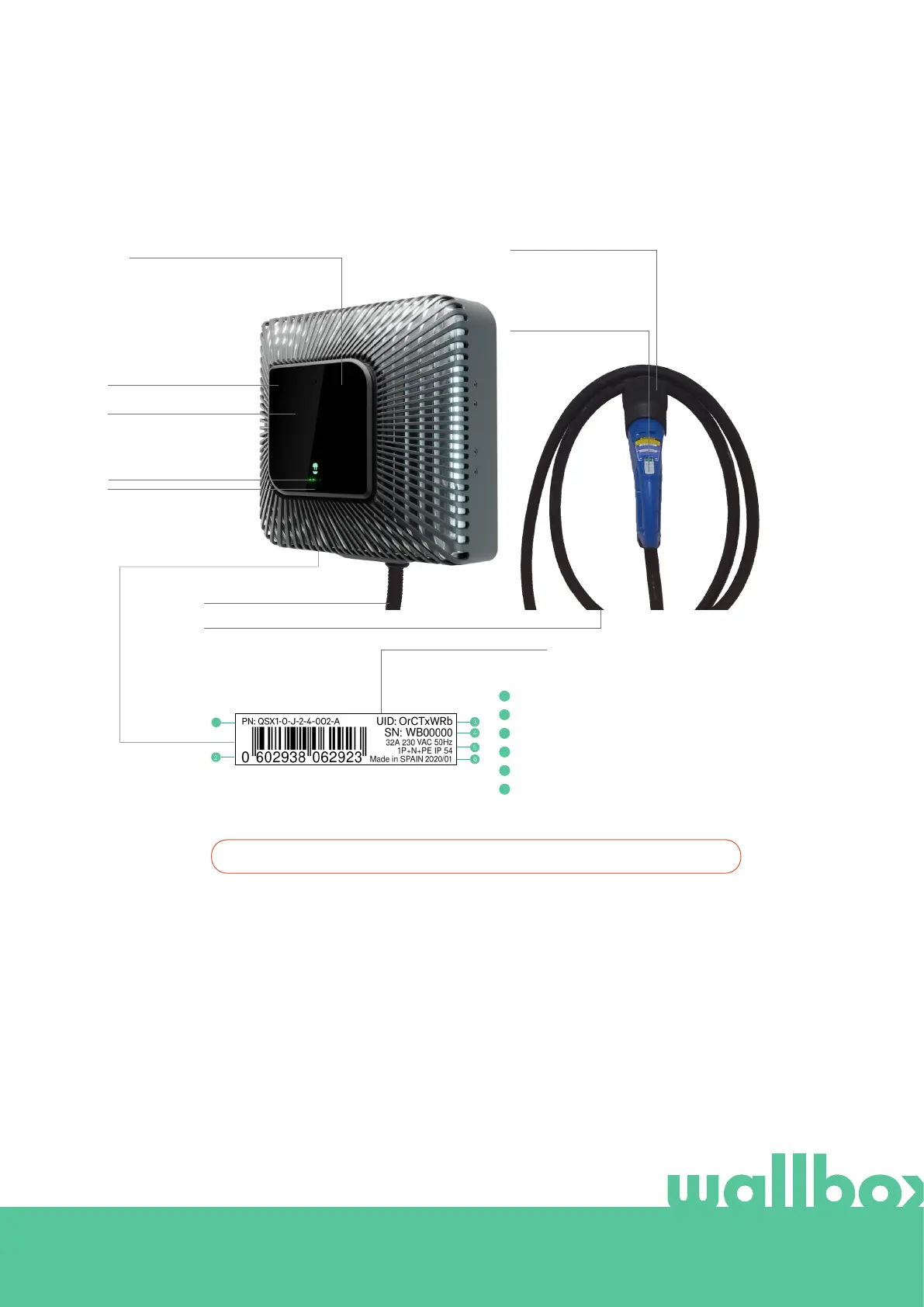
Get to know your Wallbox Quasar
Before you start, please take a quick look over your Wallbox Quasar.
Once your Wallbox Quasar is ready and powered on, you can operate it through
the mobile app.
The software is specially designed to fully control and manage the charging
and discharging process by simple commands, but remember that you will
always be able to just plug and charge, it can be as simple as that.
Picture 6
FRONT COVER
SCREEN
GESTURE SENSOR
CHARGING CABLE
CAMERA AND STATUS LED
PLUG HOLDER
PRODUCT INFO STICKER
CHARGING PLUG
Part number
Serial number
EAN code
Electricity supply configuration
Unique identification code
Manufacturing country
1
4
2
5
3
6
1
*Camera, Screen and Gesture Sensor are optional features.
STATE OF CHARGE LEDS



 To Next Page