19
SETUP
3.5 Adding Filament
1. Clean off any excess lament residue from the tip of the nozzle using the scraper
2. Enter the main menu and select Quick Settings Move Home XYZ to move
the nozzle to the home position in the front right corner
NOTE: Immediately turn off the machine any motors are jamming pr forcing against the chassis.
3. Select back Disanle steppers to enable movement of the print bed and extruder
4. Manually move the print bed and extruder to each corner or area you would like to level
5. On each corner, turn the relevant thumbwheel until you can just slide a piece of copy paper
between the extruder and print bed with slight resistance,about 0.1mm
6. Continue checking points on the print bed until you are satised it is level
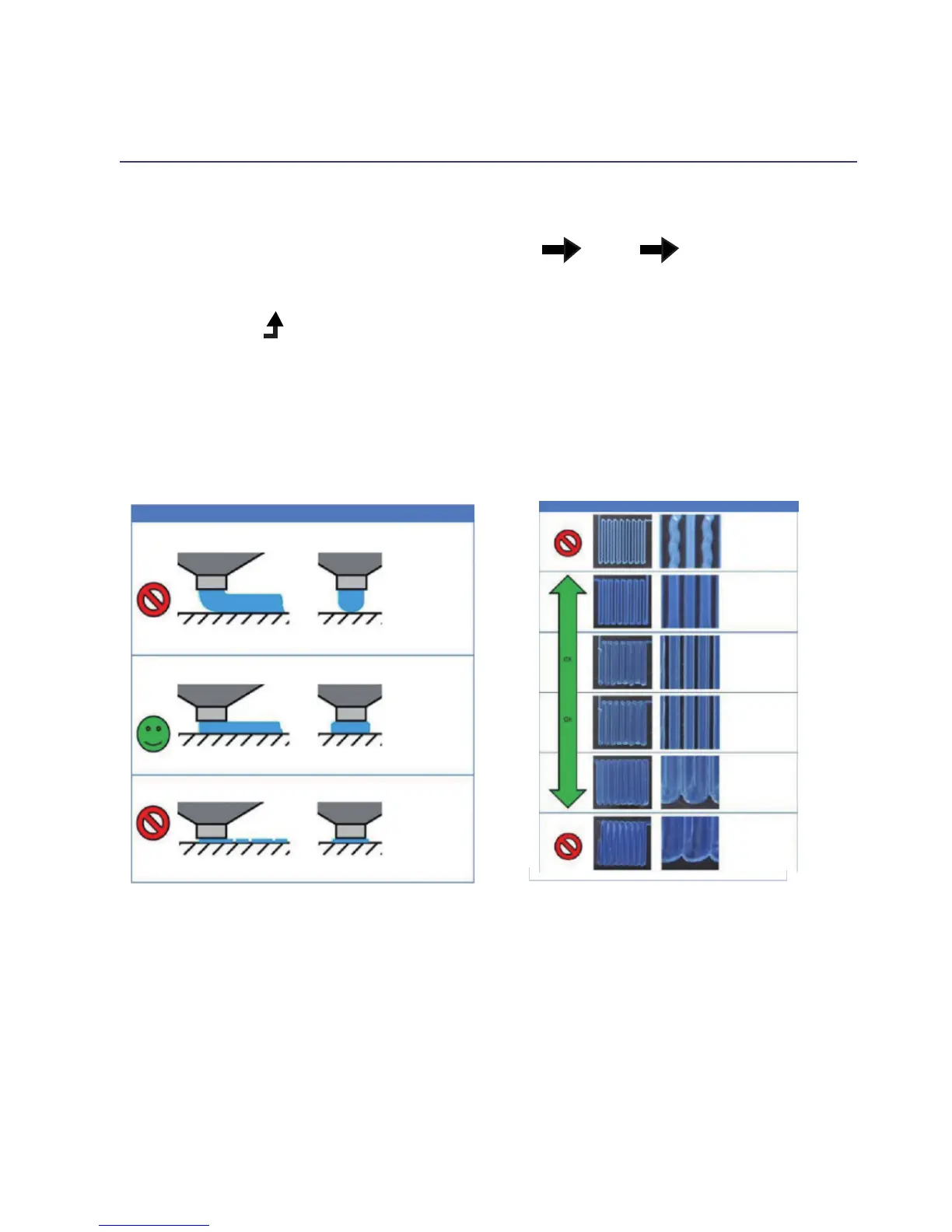
SIDE VIEW END VIEW COMMENTS
Nozzle Too High:
Insufcient contact
area resulting in
poor adhesion and
extrusion skipping.
OK:
Filament pushed
into the build
surface slightly to
maximize surface
area contact while
still allowing good
extrusion ow.
NOZZLE TOO LOW:
Not enough
clearance for the
lament to be
extruded... this will
result in damage to
the extruder and/or
build surface.
RAFT
MAGNIFICATION NOTES
NOZZLE TOO HIGH:
Wavey tracks,or tracjs
narrower than 1.2mm
(use vernier callpers
to check)
NOZZLE TOO LOW:
Trancks sides pushed
over neighbouring
tracks.
CHECKING CHART
If you are new to 3D Printing we highly recommend that you visit our website to review our
video tutorial on levelling the print bed at https://www.wanhao3dprinter.com















 To Next Page