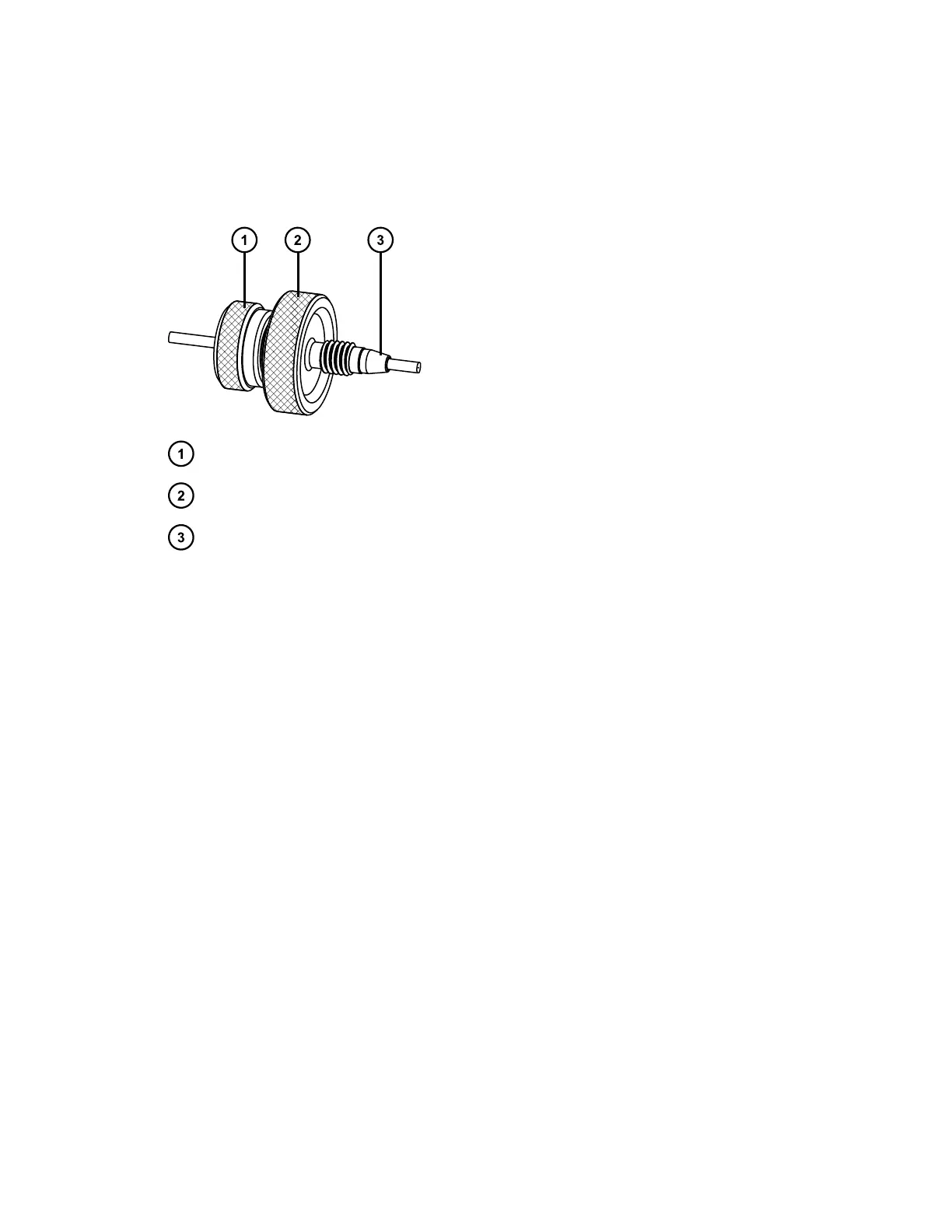
2.5.1.9 Dual-threaded, finger-tight fitting with knurled compression screw
and captive ferrule
First use or re-installed
Locking cap nut
Knurled locking compression screw
Back-locking PEEK ferrule
To tighten this fitting for first use:
1. Loosen the cap nut from the dual-threaded, finger-tight fitting.
2. Slide the dual-threaded fitting with captive ferrule into the column inlet.
3. Finger-tighten the dual-threaded fitting with captive ferrule, into the column
inlet.
4. Tighten the cap nut onto the dual-threaded, finger-tight fitting.
To re-install this fitting:
1. Loosen the cap nut from the dual-threaded, finger-tight fitting.
2. Loosen and remove the dual-threaded fitting with captive ferrule from the
column inlet.
3. Examine the captive ferrule for any damage, and replace it if necessary.
Important: For detailed instructions about replacing the ferrule, see
"Replacing the ferrule on the column fitting" under Maintenance.
4. Slide the dual-threaded fitting with captive ferrule into the column inlet.
5. Finger-tighten the dual-threaded fitting with ferrule, into the column inlet.
6. Tighten the cap nut onto the dual-threaded, finger-tight fitting.
June 12, 2015, 715004747 Rev. A
Page 29












 To Next Page