Auto-Zone CV & CV-EX
Section 3
Programming 3-1
LCD/Keypad Operations
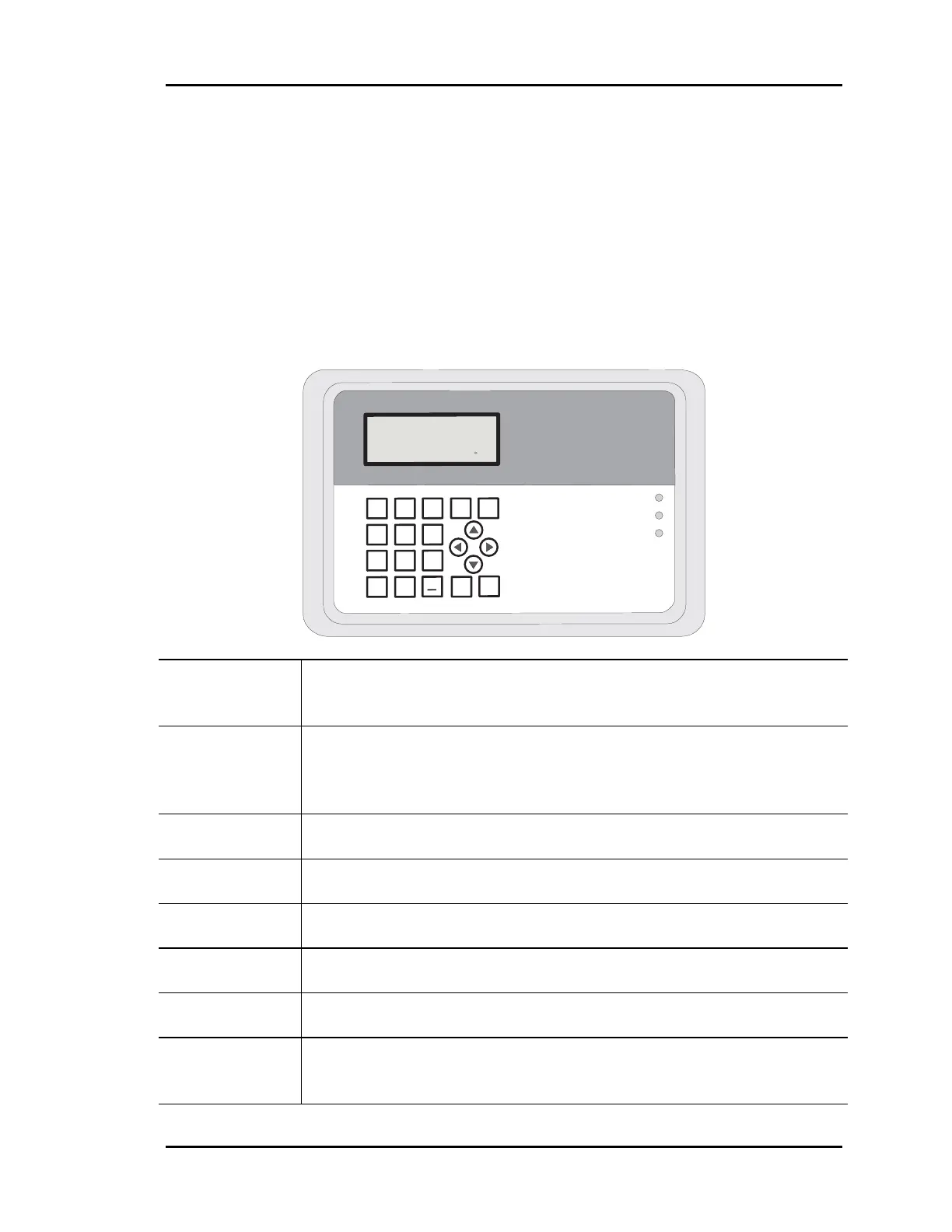
Keypad Functions
The System Manager keypad is labeled either numerically or as to actual function for that
key. Below is a summary of the labeled keys and their functions.
MENU This key is used to gain access to the first menu, and the user will be
notified, on the LCD, if any subsequent use of the key will be
required for further access.
ESC The ESCape key allows the user to abort what he/she is doing or exit
back to previous menus. Also, anytime you want to leave the system
unattended you should press the ESC key until the Main Screen
appears.
CLEAR If you make a mistake while entering setpoint data, you can clear the
bad data from the display by pressing the Clear key.
ENTER Use the Enter key to close out a data entry. It can also be used to
advance to the next field or screen.
DEC If entering a setpoint that requires a decimal point, press this key
where the decimal is located while entering the value.
MINUS If you need to enter a negative value, you must press the Minus key
before entering the digits for that value.
UP/DOWN
Arrows
Use these keys to step forward or backward through Status Screens or
Setpoint Data Fields.
LEFT/RIGHT
Arrows
If the screen prompts you to use these keys, it is used normally to
toggle modes of operation. In some cases they may be used for other
functions and the user will be prompted as to what these might be.
1
4
2
5
3
6
9
8
0
7
Enter
Esc
*
Minus
Menu
Clear
Dec.
Alarm
Communication
Override
MANAGER
SYSTEM
Thursday Operations
3/19/01 1:35 PM
Outdoor Air 73.0



 To Next Page