21 22
GB
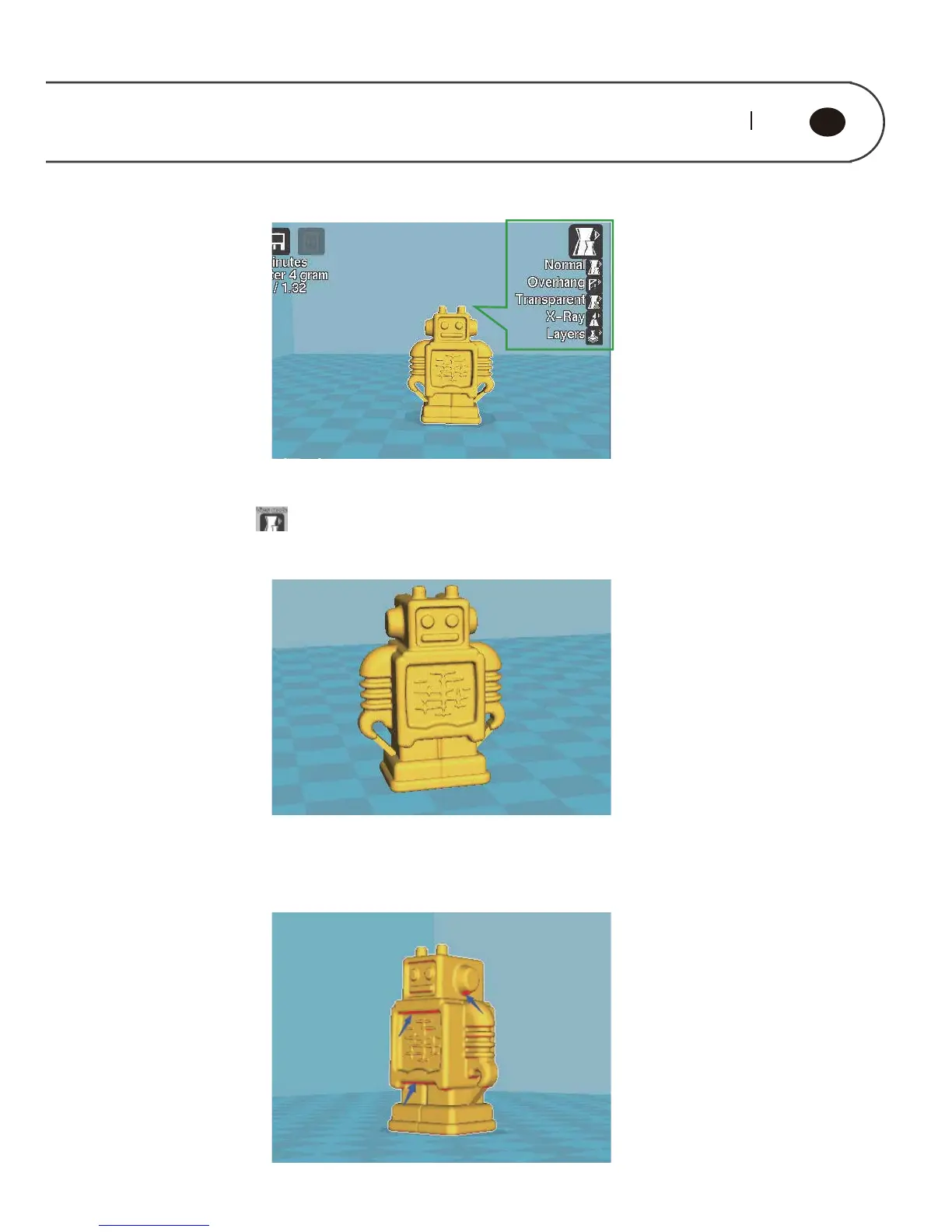
Green Box is Check Mode Option
Click the button , five modes buttons, respectively:
“Normal” is normal mode, show the model appearance only, which is default mode
“Overhang” refers to overhang mode, and would indicate the overhang part of
model, these part may hang down in the absence of support. The red area pointed
by blue arrow is as shown in figure below.



 To Next Page