39 40
GB
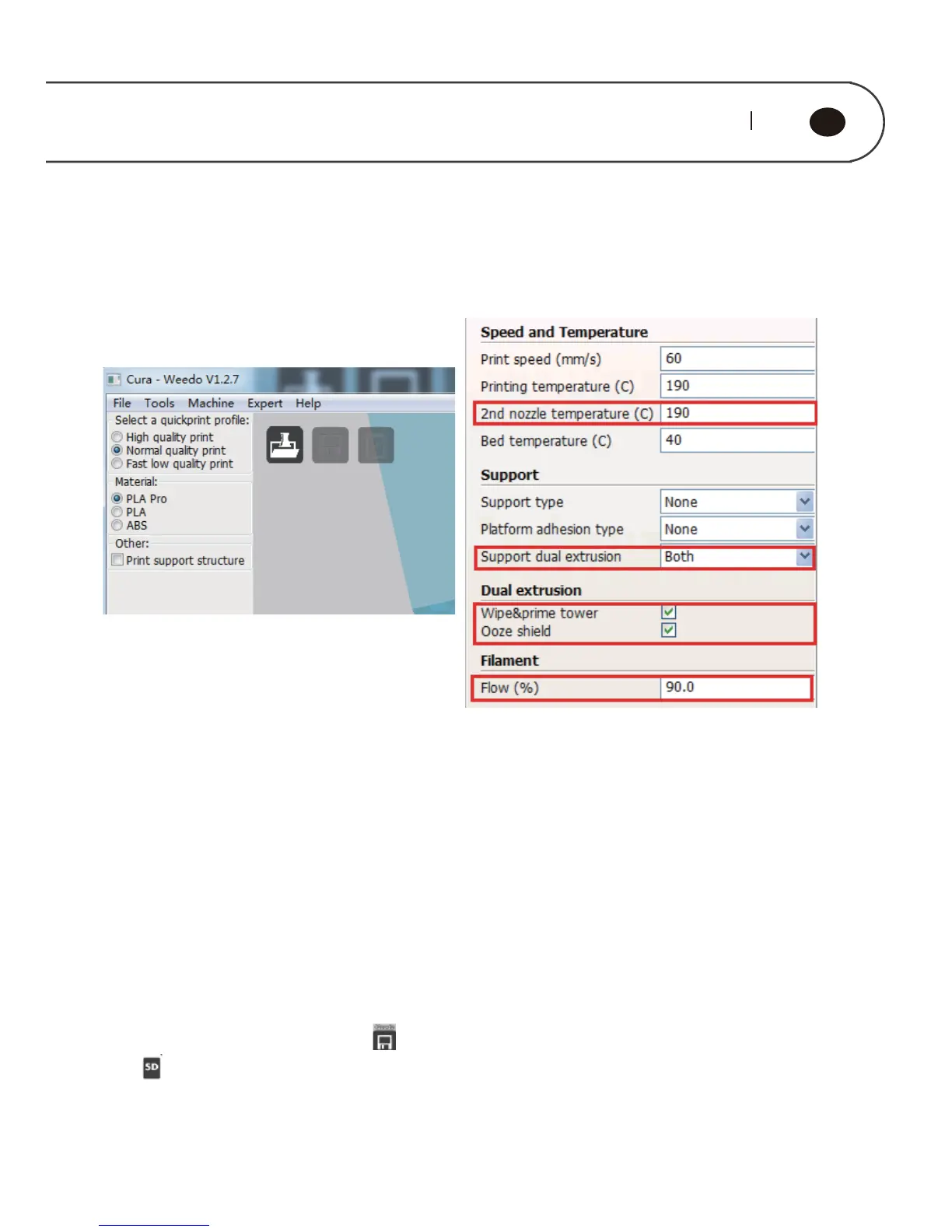
6.3.3. Parameter settings of two-color printing
Click on "Expert" from the menu bar and select "Switch to full settings ..." in the
pop-up dialog box.
After setting up the parameters, the Cura engine will slice the model and
generate Gcode code. Click the " " button to save the Gcode code, and then click
the " " button to generate x3g file; copy the x3g file to the SD card and then print
with the dual-extruder printer.
In the full settings mode interface, you need to pay attention to the following
parameters:
◆2nd extruder temperature (C)
For two-color printing, you can set this value directly according to the printing
temperature.
◆ Support dual extrusion Select "Both"
◆Wipe & prime tower and Ooze shield Please tick the box to select
◆Filament The flow rate is set between 85% -90 %.



 To Next Page