21
Cura Soware Detailed Introducon
◆Red Box is Prinng Quality Parameter.
Layer height: is the prinng precision we usually refer to, and is generally
chosen between 0.1 and 0.25, the smaller the data is, the higher the model
precision is.
External shell layer thickness: the thickness of outermost surface can improve
the surface quality, and is mulple of nozzle size (is also the mulple of 0.4)
◆Black Box is Stuffing Parameters.
Boom and top thickness: the thickness of model boom layer and top layer, it
is suggested to use the same parameter as the external shell.
Packed density: It refers to packed density of model. The interior of model is
not completely packed, and it would not affect the surface quality, but affect
the intensity only.
◆Blue Box is Speed and Temperature Parameters
Prinng speed: If the prinng object is relavely small, please use the low
speed.
Prinng temperature: it refers to the temperature of prinng spray-head, the
temperature to print the PLA/PLA pro consumables is 195-210 degree, and the
temperature to print the ABS consumables is 230 degree.
◆Green Box is Support Parameters
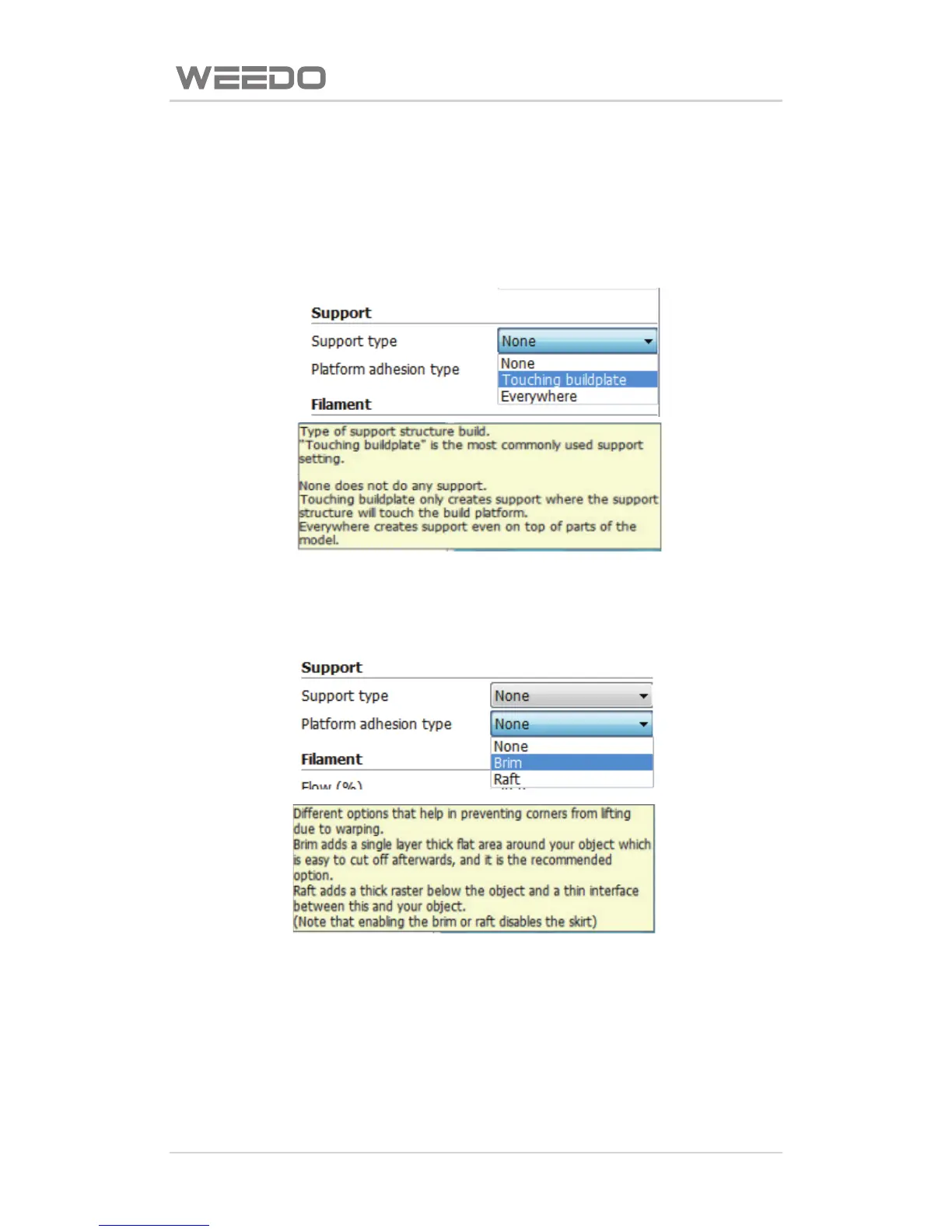
Support type: shown as figure below, “None” refers to not use the support,
“Touching buildplate” is external support, “Everyhere” is complete support,
the support type can be choose according to the model suspending in the air.
Prinng plaorm adhesive base type: as shown in figure below, “None” refers
to not used pad, “Brim” refers to edge pad, “Ra” refers to boom gridding
pad.
◆Orange Box is the filament flow rate parameters
The filament rate parameter is generally 90%.
Please note: when it is wrong or ineffecve for filling the parameters,
soware would use yellow and pink to provide indicaon, yellow refers to
warning, red refers to error, it can be seen when the mouse hovers, as shown
in figure below.



 To Next Page