18
Cura Soware Detailed Introducon
5.1. Basic Interface
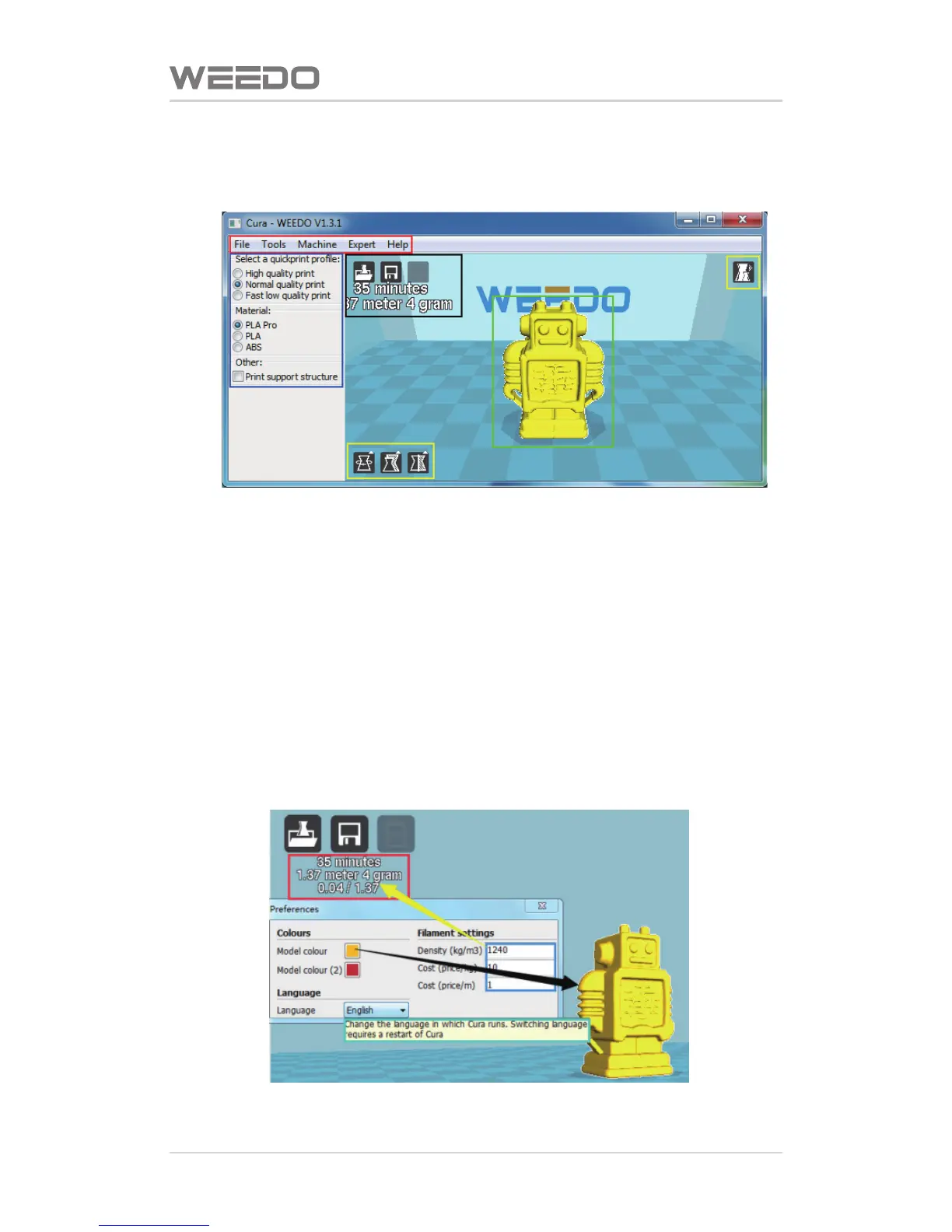
The figure below displays a typical interface of Cura
◆Red Box is Menu Bar
◆Blue Box is Prinng Parameters Seng Bar
◆Yellow Box is used to Adjust model, and to check model
◆Black Box is the operaon related to Prinng,grey buons displays it
can’t be used temporarily under the current condion.
◆Green Box is Model Preview
5.1.1. The Preference Menu
Click“File”on the menu bar→“Preference”,enter the preference menu,as
shown in figure below, it can perform the following seng:
Please note: Aer language is switched, it can be effecve only aer restart.



 To Next Page