Keypad (HMI) and Basic Programming
English
4 KEYPAD (HMI) AND BASIC PROGRAMMING
4.1 USE OF THE KEYPAD TO OPERATE THE INVERTER
Through the HMI, it is possible to command the inverter, visualize and adjust all of its parameters.
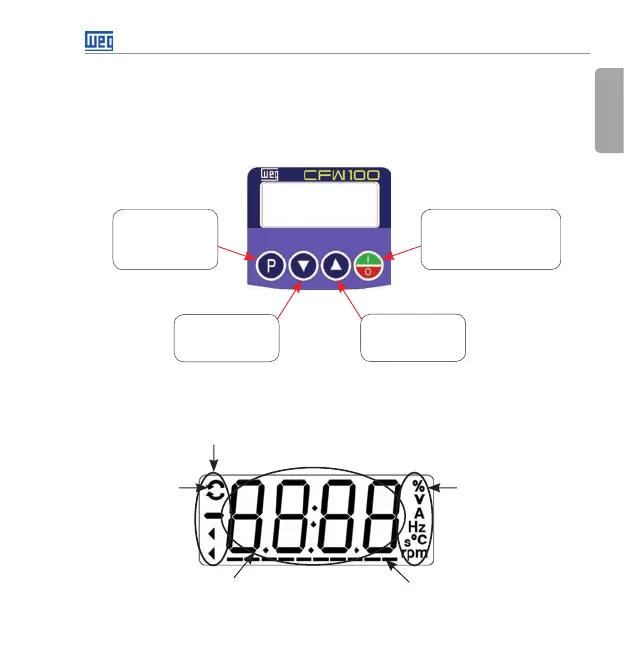
The Keypad features the following functions:
Selects (toggles)
display between the
parameter number
and its value (position/
content).
Decreases the
frequency, parameter
number or parameter
value.
Increases the
frequency, parameter
number and parameter
value.
Enables/disables the inverter via
acceleration/deceleration ramp
(start/stop, according to P229).
Resets the inverter after a fault
event.
Figure 4.1: HMI keys
4.2 INDICATIONS ON THE HMI DISPLAY
Inverter status
Direction of
rotation
Unit of measurement
(it refers to the value
of the main display)
Bar to monitor
the variable
Main display
Figure 4.2: Display areas
Buy: www.ValinOnline.com | Phone 844-385-3099 | Email: CustomerService@valin.com




 To Next Page