EasyManua.ls Logo

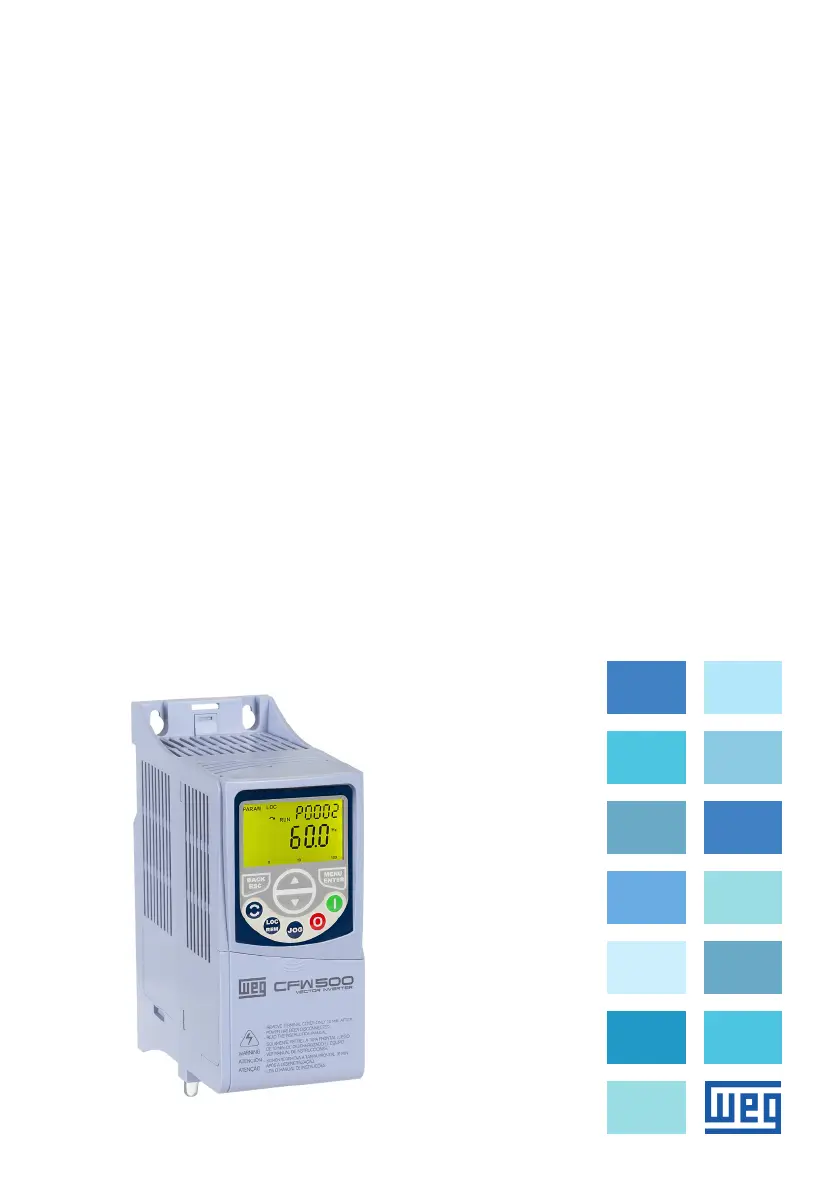
WEG CFW500 - User Manual

WEG CFW500
185 pages
Print Icon
To Next Page IconTo Next Page
Loading...
Frequency Inverter
Convertidor de Frecuencia
Inversor de Frequência
CFW500
Motors | Automation | Energy | Transmission & Distribution | Coatings
User’s Manual
Manual del Usuario
Manual do Usuário
Language: English, Spanish, Portuguese

Table of Contents

Other manuals for WEG CFW500

Questions and Answers

  • K
    Kevin CostaAug 12, 2025
    Why won't my WEG CFW500 motor start?
    • K
      katieodomAug 13, 2025
      If your WEG DC Drive motor won't start, several factors could be the cause. First, examine all power and command connections to ensure they are correctly wired. If using an analog reference, verify the external signal is properly connected and check the control potentiometer's status. Ensure that the parameter values are correct for your specific application. Also, check for any fault conditions that may be disabling the inverter. Finally, a motor stall could be the issue; try decreasing the motor overload or increasing the V/f parameters (P0136, P0137).
  • M
    Mr. David BrownAug 17, 2025
    What to do if WEG CFW500 motor speed is too high or too low?
    • K
      Kara MyersAug 17, 2025
      If your WEG DC Drive motor speed is too high or too low, it might be due to several reasons. First, verify that the values for the minimum speed (P0133) and maximum speed (P0134) are correctly set for your motor and application. If you're using an analog reference, check the level of the reference control signal and the gain and offset settings of parameters P0232 to P0240. Finally, ensure that the motor matches the application requirements.
  • T
    Tracy MeyerAug 20, 2025
    How to fix WEG DC Drives motor speed oscillation?
    • S
      sthompsonAug 20, 2025
      If your WEG DC Drive motor speed is oscillating, several factors could be responsible. Begin by stopping the inverter, turning off the power supply, and carefully tightening all connections, including the internal connections of the inverter. If you're using a speed reference potentiometer, it may be defective and need replacement. Also, check for any oscillation of the external analog reference. If the oscillation is due to electrical noise, use shielded cables or separate them from the power or command wiring. Interconnect the GND of the analog reference to the grounding connection of the inverter.
  • R
    roger28Aug 25, 2025
    What to do if WEG DC Drives display is off?
    • J
      Jason MorrisAug 25, 2025
      If the display on your WEG DC Drive is off, there are a few things you can check. First, inspect the connections of the inverter's external HMI. Next, verify that the power supply voltage is within the specified limits: for a 200/240 V power supply, it should be between 170 V and 264 V; for a 380/480 V power supply, it should be between 323 V and 528 V. Lastly, check if the main supply fuse is open and replace it if necessary.
  • L
    Lindsey WilliamsAug 28, 2025
    What to do if my WEG CFW500 DC Drives motor will not start?
    • G
      gregory78Aug 28, 2025
      If your WEG DC Drives motor won't start, begin by checking all power and command connections to ensure they are correctly wired. Also, verify the external signal of the analog reference is properly connected and check the control potentiometer status, if one is being used. Ensure that the parameter values are correct for your application. Check for any fault conditions that may have disabled the inverter. Finally, decrease the motor overload or increase the values of parameters P0136 and P0137 (V/f) to address potential motor stall.
  • K
    Kara MaySep 1, 2025
    Why does the motor speed oscillate on my WEG CFW500?
    • J
      John VincentSep 1, 2025
      Motor speed oscillation in WEG DC Drives can stem from several causes. First, stop the inverter, turn off the power supply, and tighten all connections, including internal connections. Second, a defective speed reference potentiometer may be the problem, so consider replacing it. Lastly, oscillation of the external analog reference may be the cause. If electrical noise is the cause, use shielded cables or separate them from the power or command wiring and interconnect the GND of the analog reference to the grounding connection of the inverter.
  • J
    Jamie PooleSep 4, 2025
    What to do if the motor speed is too high or too low on WEG CFW500?
    • M
      Mr. Vincent WalkerSep 4, 2025
      If the motor speed is too high or too low on your WEG DC Drives, check the settings for reference limits, specifically P0133 (minimum speed) and P0134 (maximum speed), ensuring they are properly set for the motor and application. Also, check the level of the reference control signal and the setting (gain and offset) of parameters P0232 to P0240. Finally, ensure the motor matches the application.
  • W
    William PatelSep 8, 2025
    How to troubleshoot a display that is off on WEG DC Drives?
    • W
      wharrisSep 8, 2025
      To troubleshoot a display that is off on WEG DC Drives, first check the connections of the inverter's external HMI. Next, verify that the power supply voltage is within the specified limits: for 200/240 V power supply, it should be between 170 V and 264 V; for 380/480 V power supply, it should be between 323 V and 528 V. Lastly, check if the main supply fuse is open and replace the fuses if needed.

Summary

SAFETY INSTRUCTIONS

SAFETY WARNINGS IN THIS MANUAL

Important warnings and danger notices within the manual text.

INSTALLATION AND CONNECTION

MECHANICAL INSTALLATION

Guidelines for physical mounting, environmental conditions, and clearances.

ELECTRICAL INSTALLATION

Procedures for wiring power, grounding, and control connections.

HMI (KEYPAD) AND BASIC PROGRAMMING

USE OF THE HMI TO OPERATE THE INVERTER

How to command, visualize, and adjust parameters using the HMI.

POWERING UP AND STARTUP

STARTUP PROCEDURES

Step-by-step guide for V/f, VVW, and BASIC application startup.

TROUBLESHOOTING AND MAINTENANCE

FAULT AND ALARMS

Information on identifying and resolving inverter faults and alarms.

SOLUTIONS FOR THE MOST FREQUENT PROBLEMS

Common issues and their corrective actions for troubleshooting.

WEG CFW500 Specifications

General IconGeneral
CategoryDC Drives
EnclosureIP20
CommunicationModbus RTU
ProtectionOvercurrent, Overvoltage, Undervoltage, Overtemperature, Short Circuit
BrakingDynamic braking
Relative Humidity5% to 95% (non-condensing)

Related product manuals