CFW500 | 33
Powering up and Startup
English
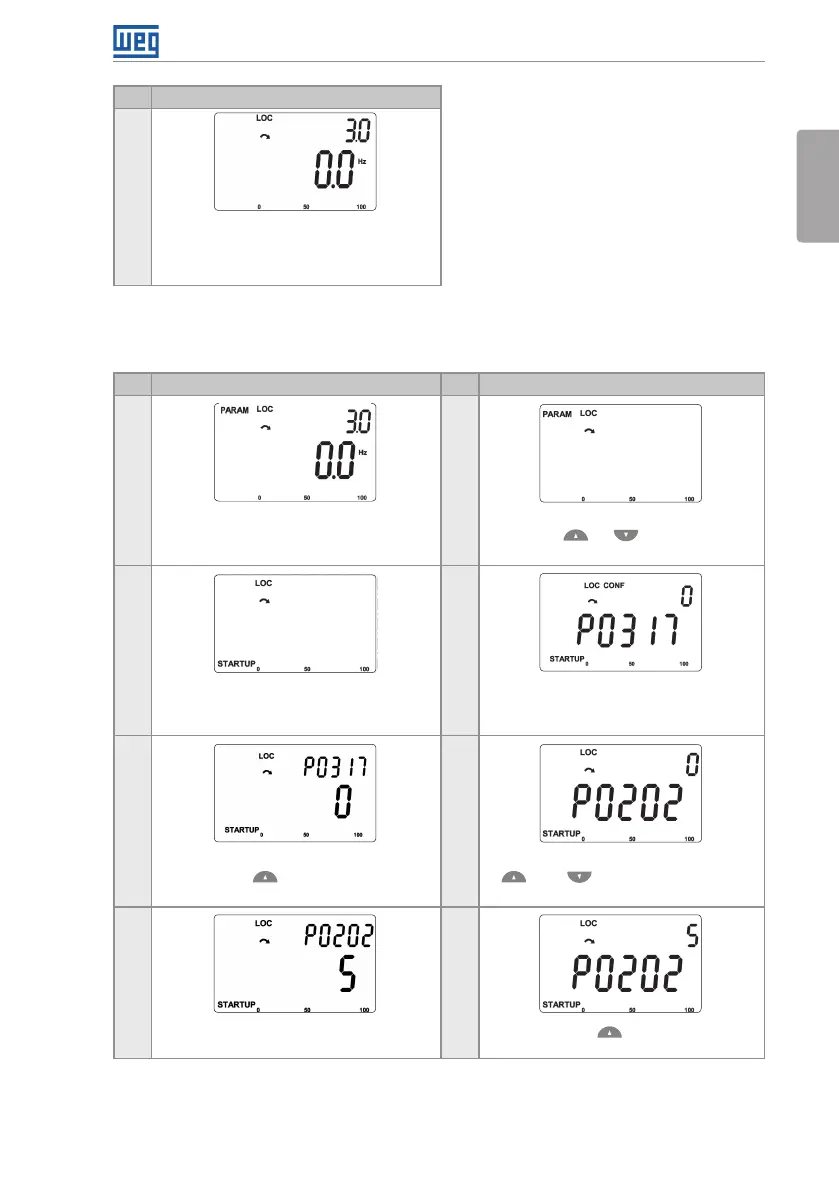
Step Indication on the Display/Action
11
To end the Start-up routine, press the key
BACK/ESC
To return to the monitoring mode, press the
key BACK/ESC again
Figure 5.2: Sequence of the startup group for V/f control
5.2.1.2 VVW Control Type (P0202 = 5)
Step Indication on the Display/Action Step Indication on the Display/Action
1
2
Monitoring mode. Press the key ENTER/
MENU to enter the 1
st
level of the
programming mode
The PARAM group is selected, press
the Keys or until selecting the
STARTUP group
3 4
When the STARTUP group is selected
press the key ENTER/MENU
The parameter "P0317 - Oriented Start-
Up" is then selected, press the ENTER/
MENU to get into the parameter content
5 6
Change the parameter P0317 to "1 - Yes",
by using the key
Press ENTER/MENU and with the keys
and set the value 5, which
activates the control mode VV W
7 8
Press ENTER/MENU to save the
modification of P0202
Press the key to proceed with the
Startup of the V VW





 To Next Page