CFW500 | 31
Powering up and Startup
English
5 POWERING UP AND STARTUP
5.1 PREPARATION AND POWERING UP
The inverter must be installed according the Chapter 3 INSTALLATION AND CONNECTION
on page 13.
DANGER!
Always disconnect the general power supply before making any connection.
DANGER!
Débranchez toujours l'alimentation principale avant d'effectuer une connexion
sur le variateur.
1. Check if the power, grounding and control connections are correct and firm.
2. Remove all materials left from the inside of the inverter or drive.
3. Check if the motor connections and if the motor current and voltage match the inverter.
4. Mechanically uncouple the motor from the load. If the motor cannot be uncoupled, be sure
that the turning in any direction (clockwise or counterclockwise) will not cause damages to
the machine or risk of accidents.
5. Close the covers of the inverters or drive.
6. Measure the voltage of the input power supply and check if it is within the permitted range,
as presented in Chapter 8 TECHNICAL SPECIFICATIONS on page 44.
7. Power up the input: close the disconnecting switch.
8. Check the success of the powering up:
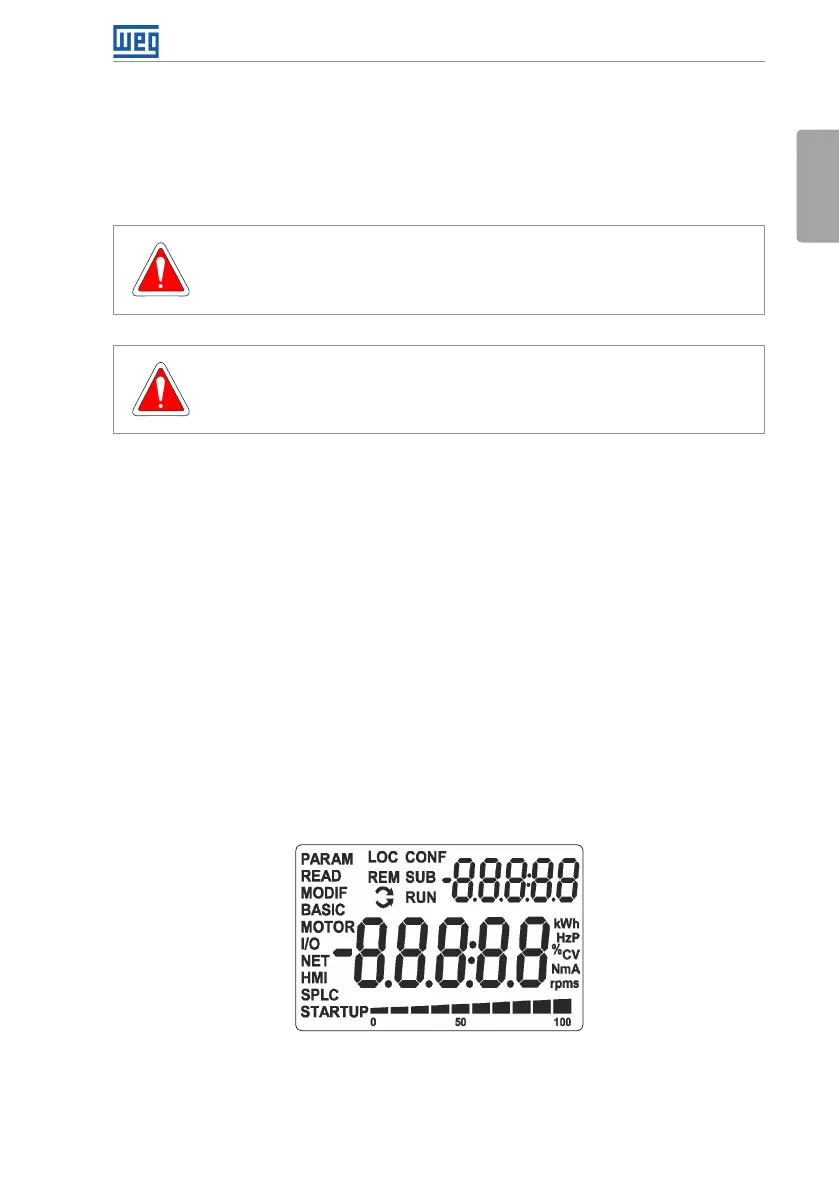
The display of the HMI indicates:
Figure 5.1: Display of the HMI when energizing
The inverter executes some routines related to data upload or download (parameter
configurations and/or SoftPLC). The indication of those routines is presented in the bar graph.
After those routines, if there are no problems, the display will show the monitoring model.





 To Next Page