18
ProCommander
®
AX Pin Assignment
fixed IP address, as well as the subnet mask through network
or USB messages. Additional enterprise settings available on
request and in the ASCII list.
USB
Using the USB port you can configure the ProCommander
®
AX. Please make sure that you have installed the applicable
driver for RS-232 support to use the USB port in conjunction with
either the Weigl Hardware Configurator or a terminal program
of your choice. You can download this stand-alone driver from
our website, as well as complete firmware packages inclusive
of these tools. Further information for installation you can find
here "USB – driver installation".
microSD
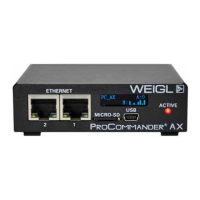
On the front panel of the ProCommander
®
AX is a slot for
storing a microSD for storing both logic, show and audio data.
Please switch OFF the unit before plug in or removing a microSD
card.
ATTENTION!
Weigl highly recommends to use SLC NAND industrial
grade instead of MLC microSD cards. We also offer
SLC industrial grade memory cards, which we have
tested with our devices. Other cards need to be
tested in terms of speed.
To plug in the card, push the card until it is flush with the
front panel. To remove the card, press gently on top of the card
and then let the card go. It will be pushed out a few millimeters


 To Next Page