17
ProCommander
®
AX Pin Assignment
3 ProCommander
®
AX Pin Assignment
3.1 ProCommander
®
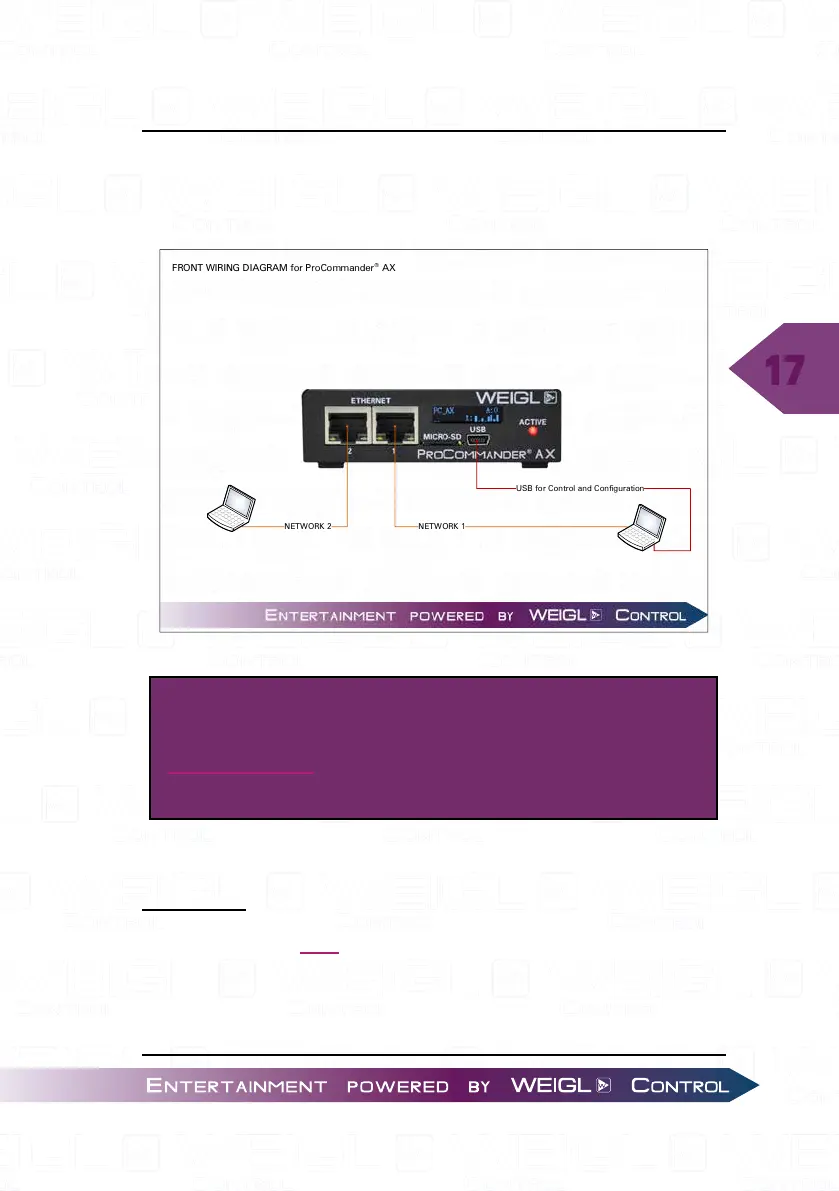
AX FRONT
NETWORK 2
FRONT WIRING DIAGRAM for ProCommander
®
AX
USB fo r Control and Con figuration
NETWORK 1
ATTENTION!
For a higher resolution, please download the
wiring diagram from Weigl Support and Solutions
Center.
3.1.1 Pin assignment FRONT
NETWORK
The network port 1 and 2 can be used for programming
and configuration. Network port 1 and 2 operates as a fixed-
IP address, UDP/ TCP Ethernet connection primarily supporting
IPV4 type communications. You can configure both the required


 To Next Page