76
Programming the ProCommander
®
AX
11.2 Network Connection between
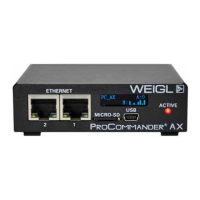
ProCommander
®
AX and another
ProCommander
®
AX
Instead of using a Pro I/O
TM
module as Sub-Device-ID
another ProCommander
®
AX can be used instead.
Therefore the Sub-Device-ID of the ProCommander
®
AX,
which should be controlled by another ProCommander
®
AX has
to be changed from 0, which means its in the ProCommander
®
mode, to a Sub-Device-ID from 1 to 32, which means
the ProCommander
®
AX can be controlled by another
ProCommander
®
as it would be a Pro I/O
TM
module.
With the command !ssid1# the Sub-Device-ID can be
changed to 1 in the command line of the Weigl Configurator. In
the display the "A:0" will change to "A:1", for further information
on the display please refer to ProCommander® AX Display.
As soon as the ProCommander
®
AX left the ProCommander
®
mode the device can be controlled like a Pro I/O
TM
module through
the Sub-Device-ID network communication. Please refer to
Network Connection between ProCommander
®
AX and Pro I/
O
TM
for setting up a Sub-Device network communication.


 To Next Page