45
ProCommander
®
AX Wi-Fi Configuration
5.2 Network Configuration
5.2.1 WLAN IP Address Configuration
If you want to change the WLAN IP address of your
ProCommander
®
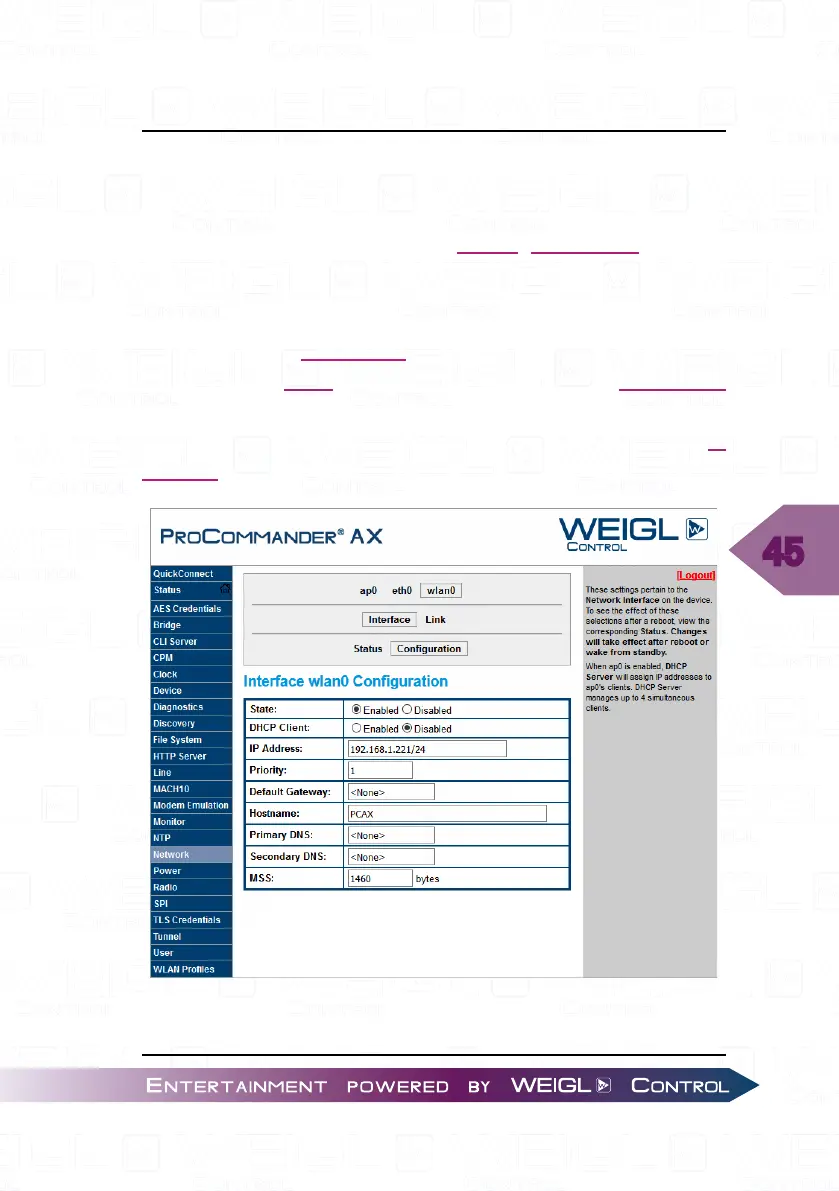
AX activate "Network" in the left menu bar.
Select "wlan0" -> "Interface" -> "Configuration".
Through this IP address the ProCommander
®
AX can be
controlled via Wi-Fi access points. Change the IP address
accordingly to your network. Afterwards save the changes with
"Submit", after a power cycle of the ProCommander
®
AX the IP
address is changed.


 To Next Page