31
ProCommander
®
AX Update
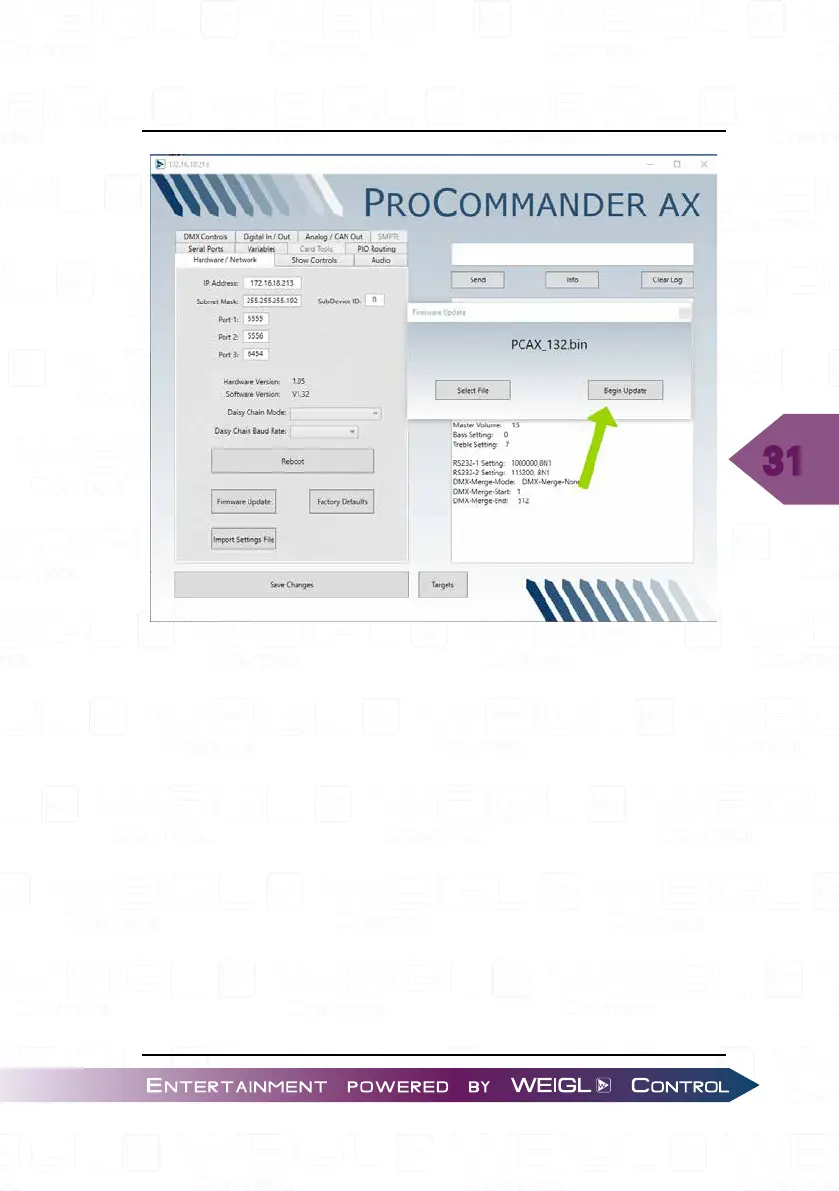
Start the update process with the button "Begin Update".
As soon as you can see the pop up window with "The firmware
update completed successfully." your ProCommander
®
AX is
ready.
Please follow the following steps, if you see a looping display:
Reopen the Configurator, select your network and scan for
devices. No device will be listed. Press the button "Firmware
Recovery".


 To Next Page