ONE
12
SERVICE PROGRAMMING_1B
· User interface 1B
· Service menu – Access & browsing
To restore the machine to factory default programming settings, follow the steps below:
1. Turn the machine o at the main power switch.
2. Press and hold K2 + K3 simultaneously while turning the main power switch back on. The
display will show “PrS” and all previously customized settings will be erased and replaced with
the factory settings.
3. Cycle the machine o and on once more at the main power switch.
To access the service programming settings, follow the steps below:
1. Turn the machine o at the main power switch.
2. Press and hold K2 while turning the main power switch back on. The display will show “F.01”
3. Browse through the menu by pressing K2. Access to each setting by pressing K3 and within 5s,
modify the setting by pressing K2 or K3.
4. Cycle the machine o and on to exit from the technical menu.
Note:
After a preset is done, F.02 Brewing mode setting is turned ‘On’ by default. For ONE 1B
models, access to the technical menu and set this setting into ‘O’ to enable the group
switch again.
i
· Factory preset
The machine is equipped a programmable interface that allows users to set or adjust the following
features and parameters with guidance from the digital display.
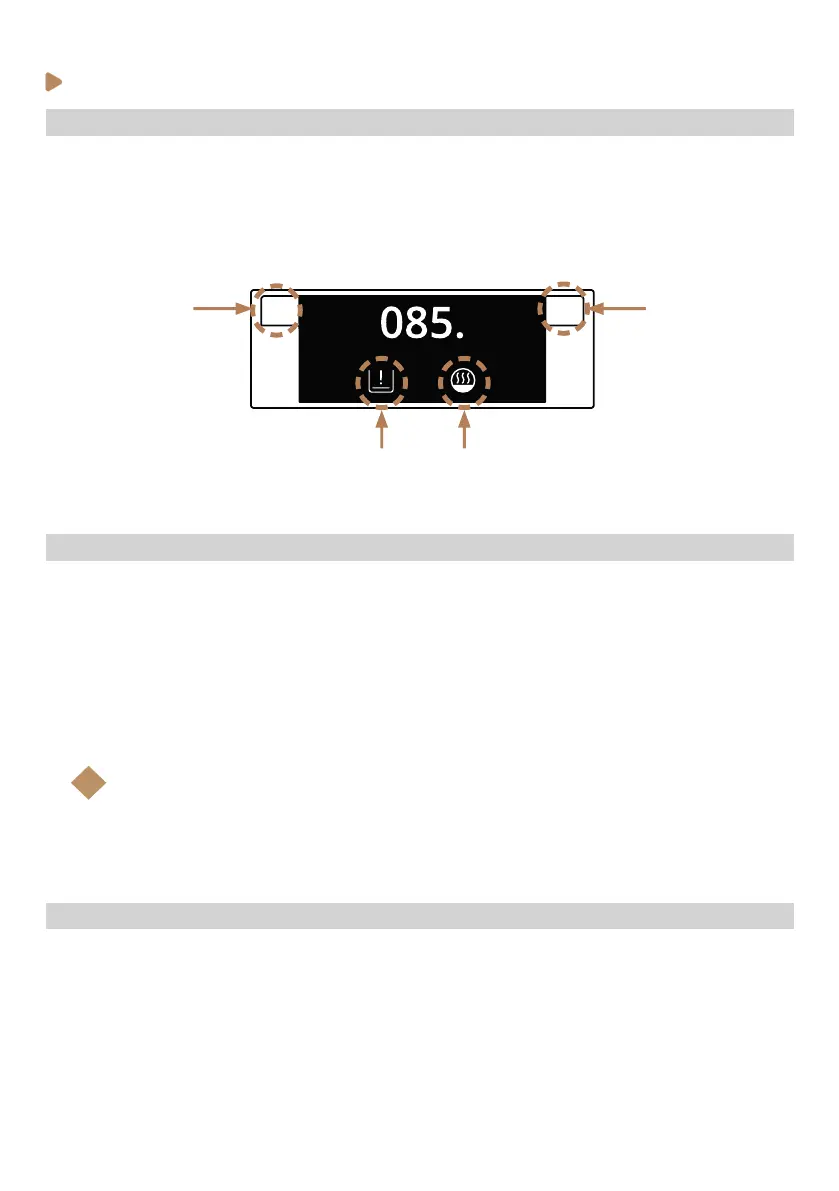
K3K2
L1 L2
Selection buttons K2 - K3



 To Next Page