ONE
14
SERVICE PROGRAMMING_1B
· A.01 – Enabling/Disabling water tank alarms
· A.03 – Water tank lling delay
· A.02 – Water tank lling time-out alarm
To enable or disable the water tank alarms, follow the steps below:
1. Enter the service programming and browse through the menu (see previous instructions).
2. When ‘A.01’ is shown on the display, enter by pressing K3.
3. Within 5s, select with K2 and K3 the select between ‘On’ or ‘O’.
4. After 5s the display will go back the service programming menu.
Important: This setting must remain always on and could be disabled for the following working
conditions only:
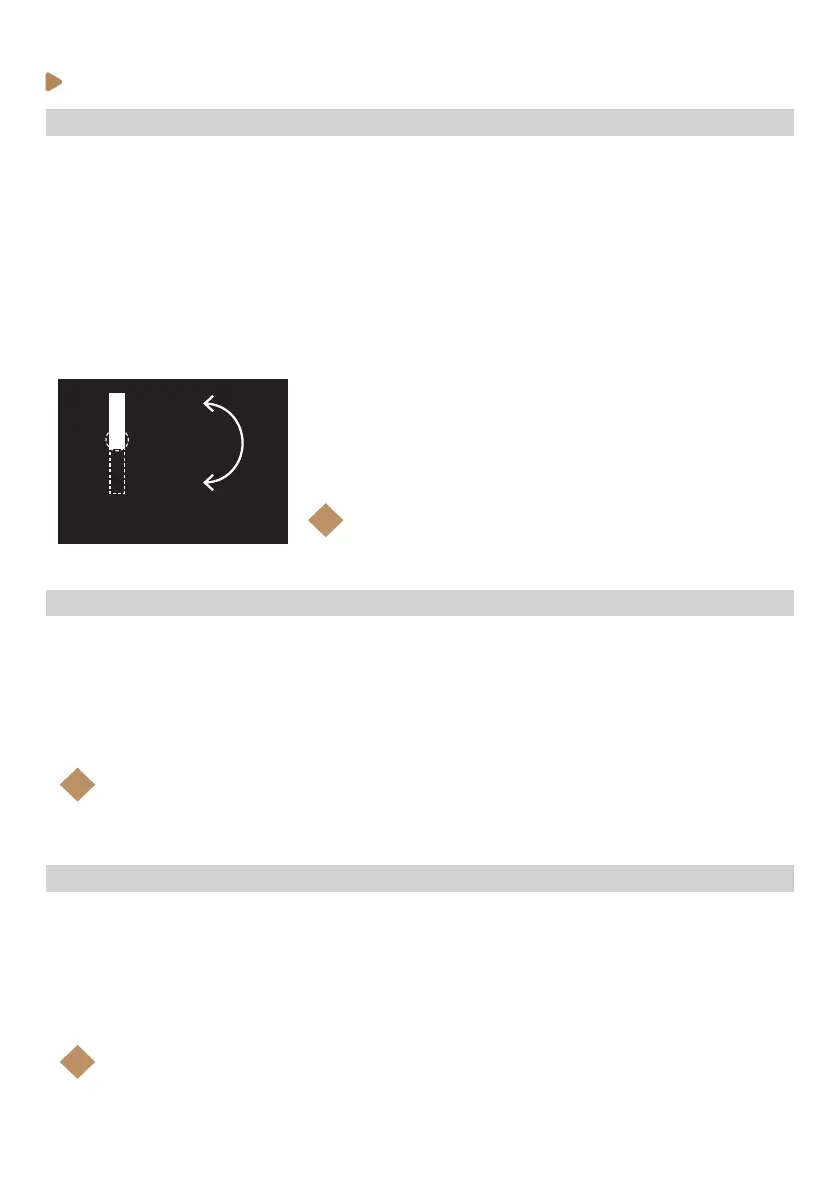
Machines plumbed to the water mains and with the water inlet selector tap working on ‘TAP’ position.
Water supply selector
TANK
TAP
Note:
If A.01 is disabled, A.02 an A.03 will be disabled as well
i
To change the machine’s water tank lling time-out alarm, follow the steps below:
1. Enter the service programming and browse through the menu (see previous instructions).
2. When ‘A.02’ is shown on the display, enter by pressing K3.
3. Within 5s, select with K2 and K3 the water tank lling time out. 20s is set by default.
4. After 5s the display will go back the service programming menu.
Note:
This setting allows the user to nish the current shot when the tank sensor detects that
the levels is lower than the ‘Min’.
i
To change the machine’s water tank lling delay, follow the steps below:
1. Enter the service programming and browse through the menu (see previous instructions).
2. When ‘A.03’ is shown on the display, enter by pressing K3.
3. Within 5s, select with K2 and K3 the water tank lling delay. 15s is set by default.
4. After 5s the display will go back the service programming menu.
Note:
This setting allows to rell the tank extra Xs since the tank level sensor detects that the
‘Min’ level has been reached.
i



 To Next Page