Section 3 - Troubleshooting
SERVICE MANUAL 6200-43E REV. A
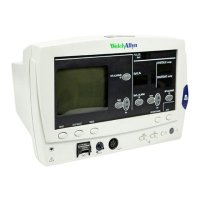
WELCH ALLYN ATLAS MONITOR 1
1.Review customer complaint and determine if it is
safe to plug in and turn on Atlas
2.Plug in Atlas, no sensors attached.
3.Check for AC~ LED lit.
4.Install paper in printer if fitted.
5.Turn on power
6.Green light in power button.
7.Loud beep when button pressed.
8.Three dashes in SYSTOLIC.
9.Three dashes in DIASTOLIC.
10.Two dashes in SpO
2
(takes several seconds after BP
dashes come on).
11.Three dashes in PULSE (takes several seconds after
BP dashes come on).
12.Pleth: none, or a single bar at the bottom, or two bars at
the bottom.
13.No lights in TEMP.
14.No lights in ALARMS OFF buttons.
15.X lit on AUTO.
16.AC~ lit
17.CRT display comes on slowly if cold, quickly if still warm
from last use.
18.May see version string in center if comes on quickly, not
a problem if not seen because it comes on slowly.
19.CRT: three dashes for Heart Rate
20.Heart picture
21.Lead select symbol
22.Scale bar
23.One or two lines of dashes for waveforms – depends
upon settings.
24.Three dashes for MAP – or blank, depends upon
settings.
25.Error message(s) at bottom of screen?
26.If 622 or 623, pull AC cable. Should be no change
except AC~ unlit.
26.1. If errors of low, very low or depleted battery,
or if system dies, plug back in and repeat
test in 2 hours.
3.1 Functional Test and Initial Diagnostic
Note: “Idle” screen is normal
waveform display.


 To Next Page
 Loading...