Section 3 - Troubleshooting
18 WELCH ALLYN ATLAS MONITOR
SERVICE MANUAL 6200-43E REV. A
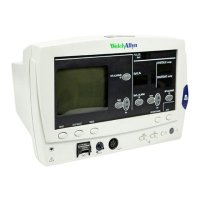
X lit on AUTO
If not lit, or a number lit, goto Bad Boot 1
AC~ lit
If not lit, goto LED 1
CRT display comes on slowly if cold, quickly if still warm
from last use.
May see version string in center if comes on quickly, not a
problem if not seen because it comes on slowly
CRT: three dashes for Heart Rate
Heart picture
Lead select symbol
Scale bar
One or two lines of dashes for waveforms – depends upon
settings
Three dashes for MAP – or blank, depends upon settings.
If not seen goto CRT 2
Error message(s) at bottom of screen?
If message, review cause in User Guide
If 622xx or 623xx, pull AC cable. Should be no change
except AC~ unlit.
If system dies immediately, check fuse on battery
cable
If fuse is OK, either charge battery for 2+
hours or goto Battery 1
If errors of low, very low or depleted battery, plug
back in and repeat test in 2 hours
Press <DATE/TIME><TREND>
Get Advanced Configuration menu
Set language to your native tongue if necessary to
allow you to write down the other settings. The top
item is always the language, press either <SET> button to
step through list.
Write down all settings for resetting to customer preference
later
Press <PRINT> if printer fitted
If printer problems, goto Printer 1
Press <TREND> to return to idle screen
Test Setup 1
3.4 Diagnostic Tests


 To Next Page
 Loading...