9 ‒ Bluetooth | P1PY201 ‒ Laser Distance Sensor ToF 36
9.3 Using the weCon App
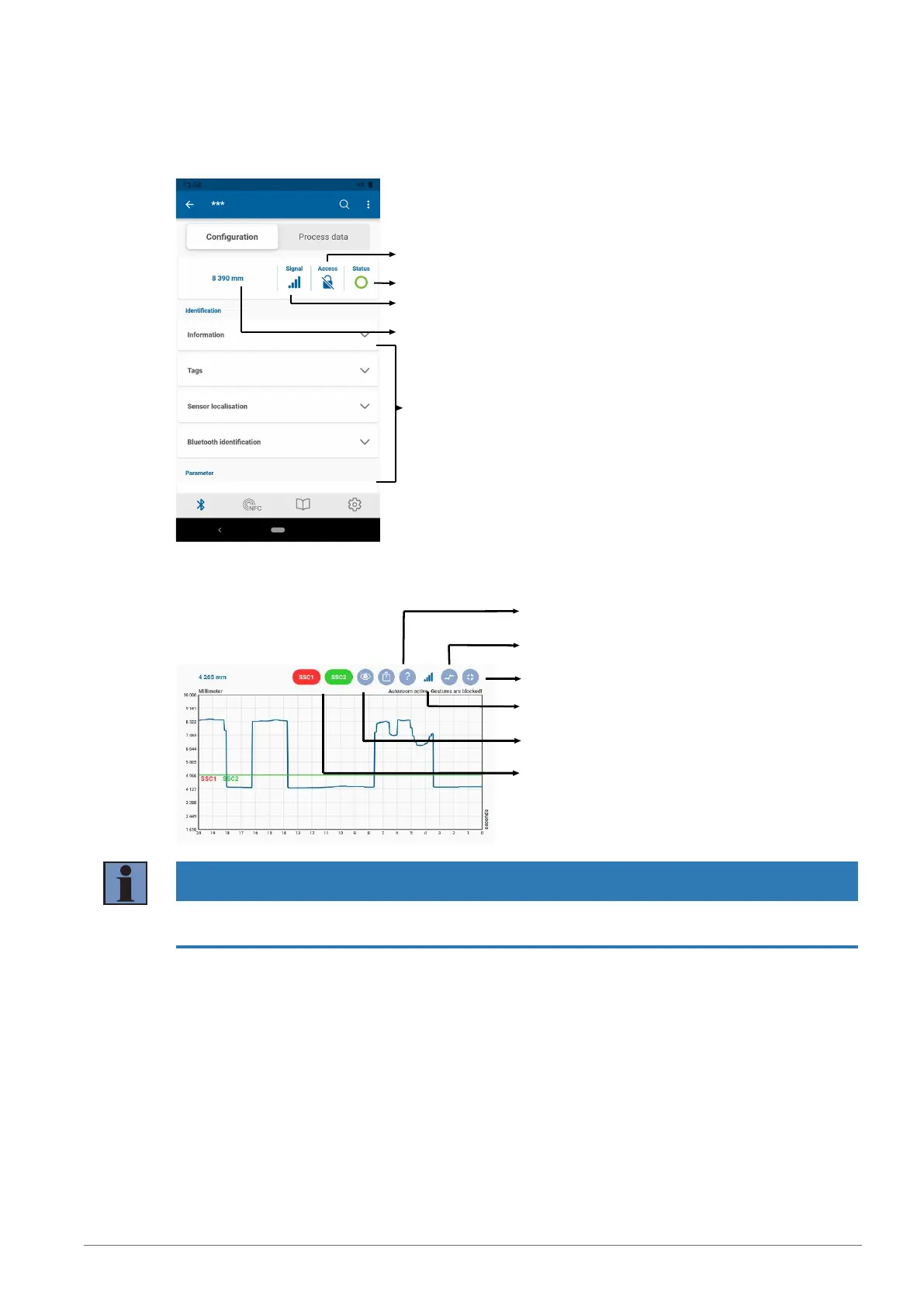
The sensor parameters are configured using the “Configuration” tab. A detailed description of the individ-
ual parameters can be found in section “Function overview”.
Bluetooth password function
Sensor status
Bluetooth signal strength
Current measured
value
Parameters
The “Process Data” tab shows the current measured value, visualizing this value over time in a diagram.
The axis scaling can be adjusted in the diagram settings.
Display legend
Show warnings/errors
Full screen mode on/off
Bluetooth signal strength
Enable auto zoom
Show switching threshold SSCx
NOTICE
The Bluetooth range is approx. 10m. If the sensor is encapsulated in a system or set up close to obsta-
cles, the range may decrease accordingly.


 To Next Page