69
WHILL Model C2/Ci2 User Manual
5
5. Assembly, adjustment, and disassembly
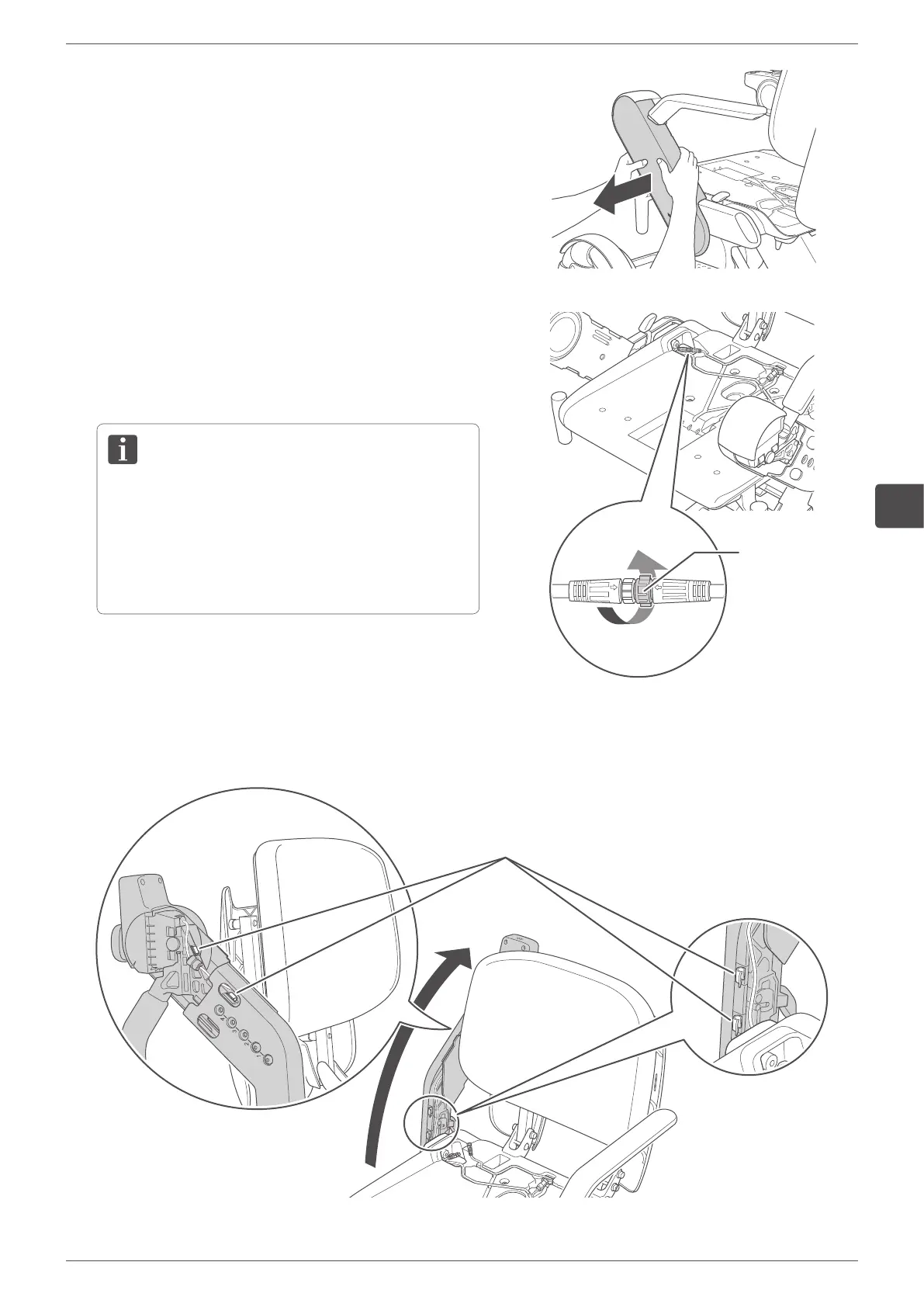
3.
Remove the arm covers on both sides.
For the removal procedure, refer to Step 2 in “5.3.1.
Adjusting the arm length” on page 66.
The explanations in the following steps are the
examples for attaching the control pad on the right arm
to the left arm.
4.
Disconnect the connector of the cable.
Loosen the base lock of the connector located in the
cable-threading hole by rotating it counterclockwise,
then disconnect the connector.
• When disconnecting the connector, hold and rotate
the base lock of the connector. Do not rotate other
parts of the connector.
• When disconnecting the connector, do not pull
forcefully. There is a risk of breaking the cables.
Base lock of
the connector
5.
Raise the arm, then remove the cable from the cable
clips (four places).
Clips


 To Next Page