74
WHILL Model C2/Ci2 User Manual
5
16.
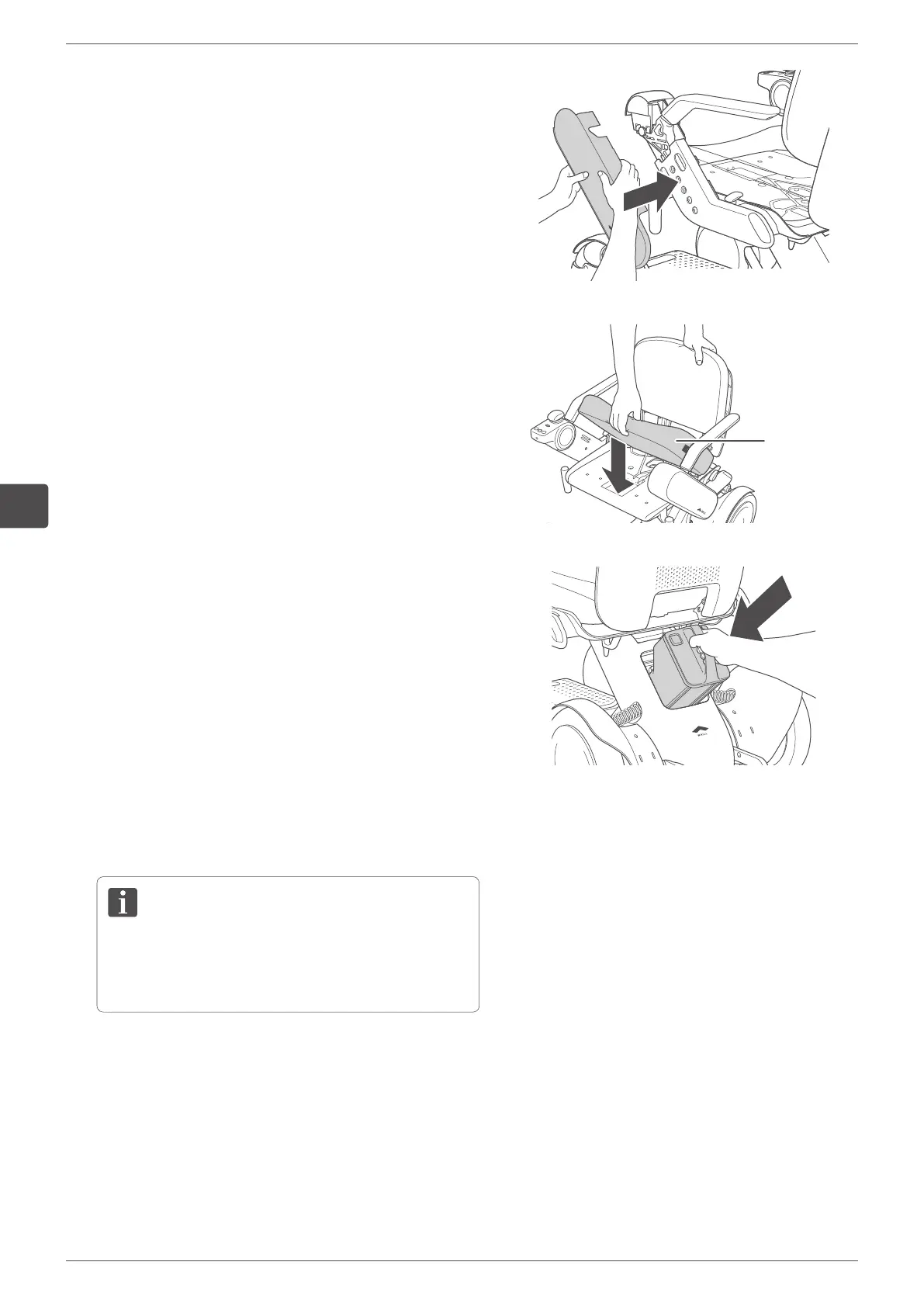
Attach the arm covers to each arm.
For the attaching procedure, refer to Step 6 in “5.3.1.
Adjusting the arm length” on page 66.
17.
Install the seat cushion onto the seat assembly.
Seat
cushion
18.
Install the battery.
For the installation procedure, refer to “5.2.4. Installing
the battery” on page 64.
19.
Turn on the power and check that the device moves
forward, backward, left, and right without problems.
If an error appears on the display, check “9.
Troubleshooting” on page 104. If the issue persists,
contact your distributor or customer support.


 To Next Page