17 / 65
www.wireless-tek.com
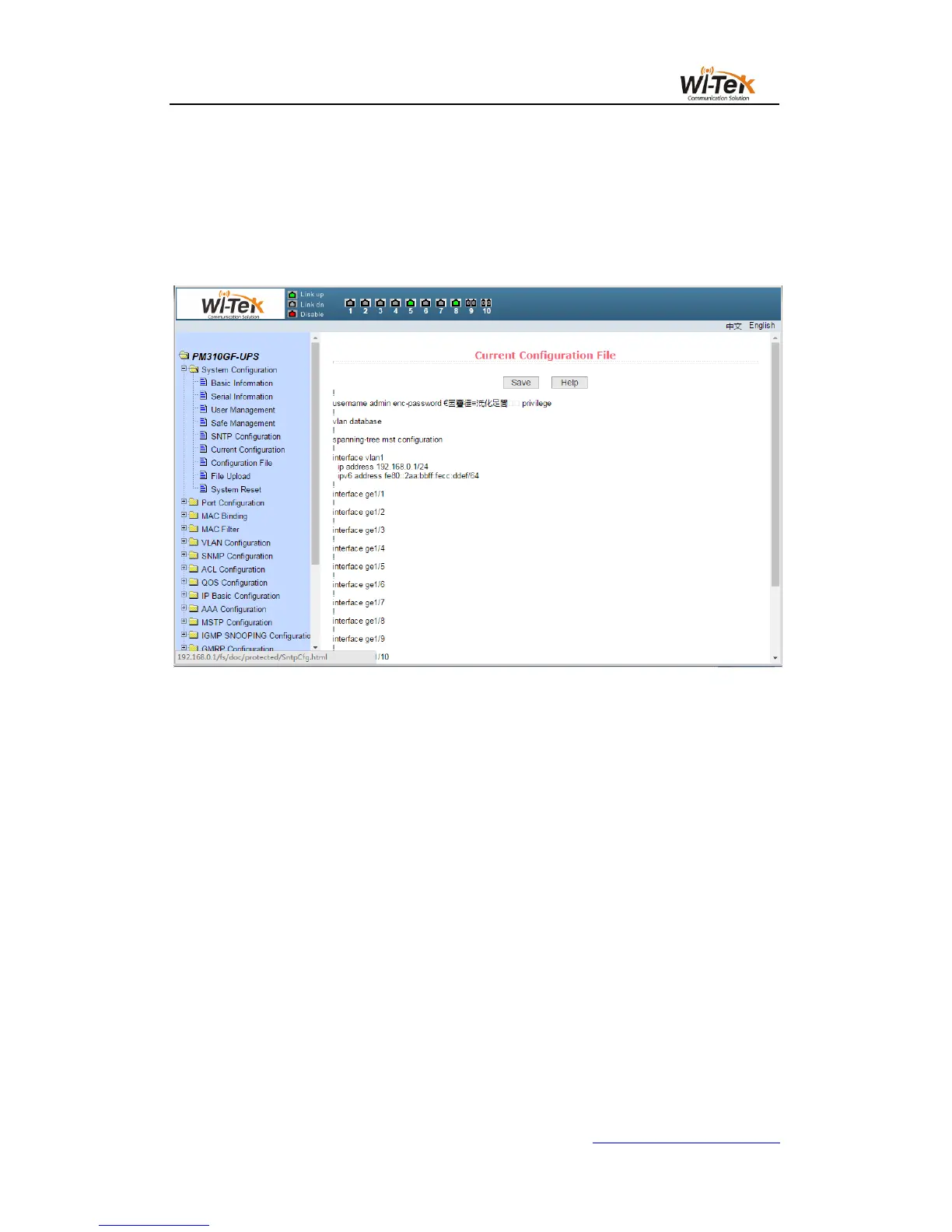
Figure 14 shows the current configuration file page.Through this page, the user can view
the current configuration of the switch.The save key stores the current configuration of the
system into the configuration file.Because the storage operation needs to erase the FLASH
chip, which takes a certain amount of time.When the user is configured on the page and want
the configuration is not lost after restart the switch , you must click the Save button before exit
the page in the current configuration page.
Pic 14 Current configuration file page
(7)Configuration file page
Figure 15 shows Configuration file page.This page allows the user to view the initial
configuration of the system.The initial configuration is actually the configuration file in the
FLASH,When there is no configuration file in FLASH, the system is started with the default
configuration.Delete key to delete the configuration file in FLASH.Click the delete button, will
pop up a dialog box, the dialog box prompts the user whether to determine the deletion of the
configuration file, if determined by the dialog box on the OK button, otherwise press the Cancel
button.The download key is used to download the configuration file to the PC.Click the
download button, will pop up a dialog box, the user chooses to save the directory path and
save the configuration file. The file name of the downloaded configuration file is switch.cfg.



 To Next Page