22 / 65
www.wireless-tek.com
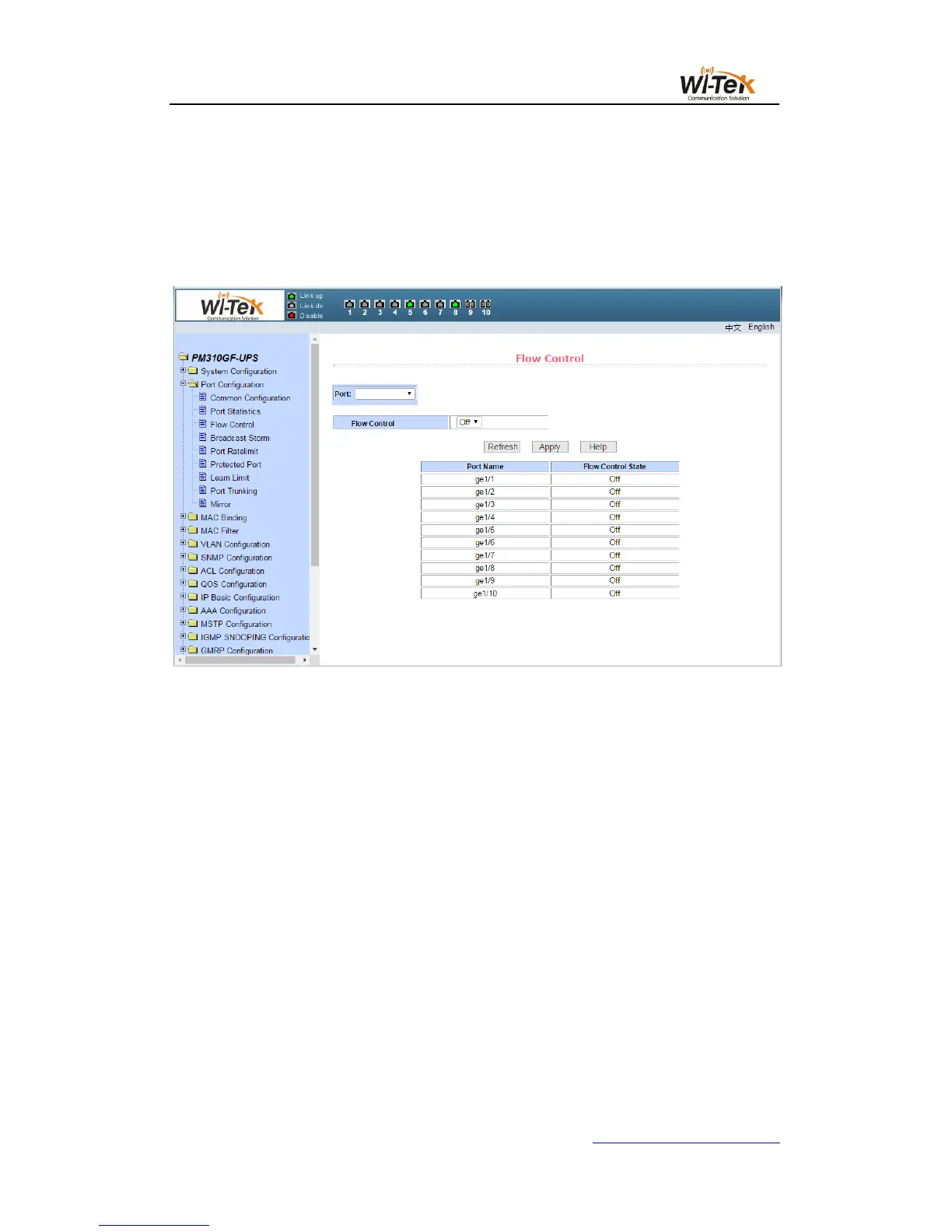
(3)Flow control page
Figure 20 shows the flow control page.The user can use this page to open or close the
flow control for each port.
Through the drop-down on or off of the flow control to open or close a port flow control.At
the same time through this page you can view the flow control status of all ports.
Pic 20 Flow control page
(4)Broadcast storm control page
Figure 21 shows the broadcast storm control page.This page is used to configure
suppression the broadcast packets, multicast packets, and DLF packets on the port.
Select the port to be configured from the drop-down bar of the port.On and off to enable
and disable broadcast suppression, multicast suppression, and DLF suppression of the
port.The suppression rate term is used to configure the rate of suppression of the port, in the
range of 1-1024000, in kbits.The suppression rates of broadcast suppression, multicast
suppression, and DLF suppression on the same port are equal.At the same time, through this
page, you can view all ports broadcast storm control configuration.



 To Next Page