23 / 65
www.wireless-tek.com
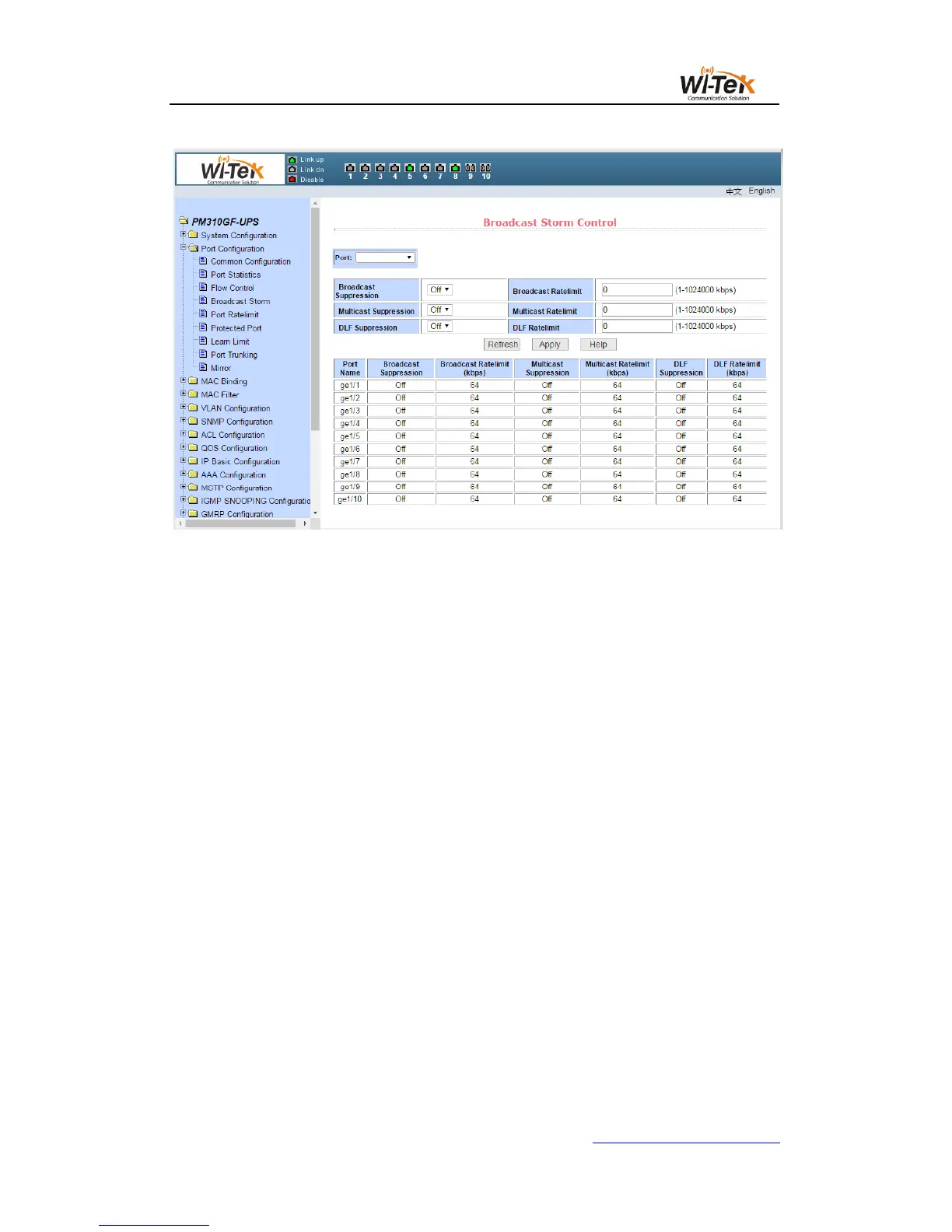
Pic 21 Broadcast storm control page
(5)Port rate limit page
Figure 22 shows the port rate limit page。This page is used to configure the rate at which
ports are sent and received.
Select the port to be configured from the drop-down bar of the port.The transmit packet
bandwidth control is used to configure and display the bandwidth control of the sending
data packet, in the range of 1-1024000, in kbits, after enter, press the application key to
take effect.
If the port is not configured with bandwidth control, it is displayed as off.The corresponding
cancel key is used to cancel the bandwidth control of the sending data packet.The receive data
packet bandwidth control is used to configure and display the bandwidth control of the
received packet, in the range of 1-1024000, in kbits,after enter, press the application key to
take effect.If the port is not configured with bandwidth control, it is displayed as off.The
corresponding cancel key is used to cancel the bandwidth control of the receiving data packet.
If the port is configured with bandwidth control, it will be displayed in the list.



 To Next Page