15
14
Support02@wimius.com
EN
1.
Keystone Correction
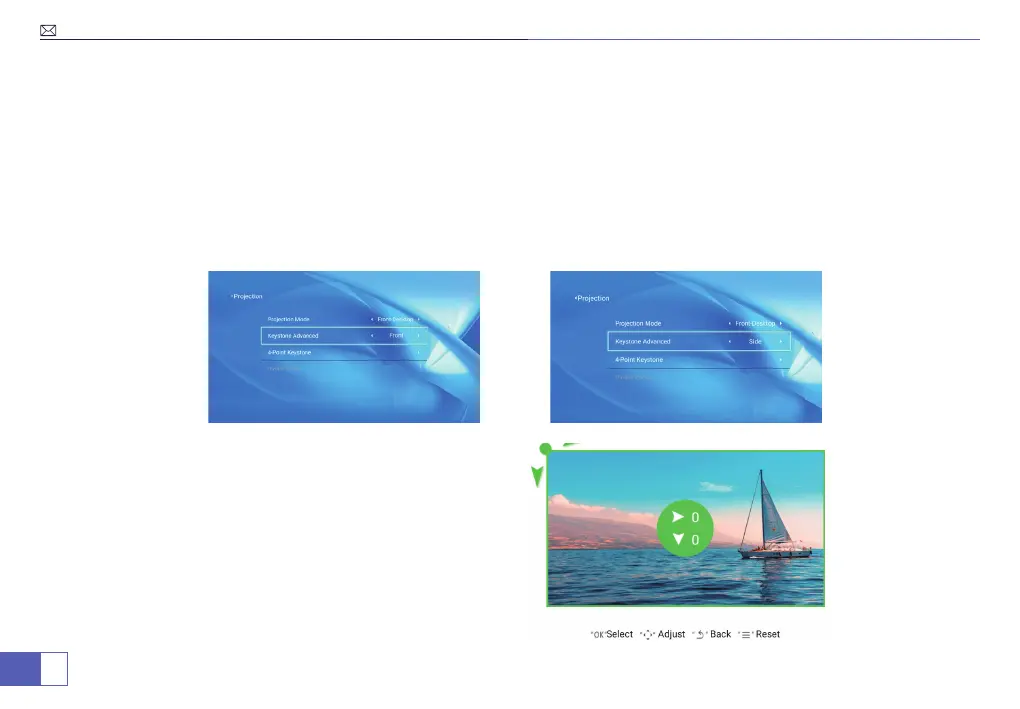
Menu>Settings>Projection Image Setting>Keystone Advanced.
a. The projector has both vertical keystone and 4-point keystone, you can not only adjust the image vertically,
but also adjust four points to make the image rectangle.
b. Vertical keystone±50 ° : adjust the the screen angels with the arrow keys vertically, until the guides are
adjusted to a rectangle.
c. 4-Point keystone: adjust the screen with the arrow keys until the guides are adjusted to a rectangle.
Note: The projected image may be bury or difficult to
see, this is due to lack of focus adjustment with the lens,
please follow the processes below to adjust the focus.



 To Next Page