Operating instructions
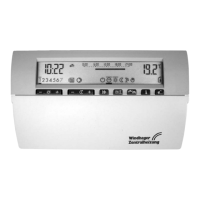
Operation module FB 5210
8
3User Adjustments
3.1Adjusting the desired room temperature
3.1.1Daytime room temperature
1.Press the key once
•The regular room temperature
adjustment appears on the right
of the display.
2.Press the "–" or "+" side of the key to
set a lower or higher temperature.
You can adjust the temperature in 0,5-°C-increments, i.e. to change the tem-
perature from 20.5 to 21.5°C you would press the "+"-side of the key twice.
Press and hold down the key to change the temperature at a faster rate.
The change takes effect immediatley.
The display returns returns to normal after
1 minute,
or you can press the key to restore the normal display right away.
3.1.2Night reduction room temperature
1.Press the key # once
•The current night reduction tem-
perature appears on the right of
the display.
2.Press the "–" or "+" side of the key to
set a lower or higher temperature. You can adjust the temperature in 0,5-°C
increments by pressing the "-" or "+" side of the key. Press and hold down
the ke
y to change the temperature at a faster rate.
The change takes effect immediately. The display returns to normal after 1 minute,
or you can press the key to restore the normal display right away.
P


 To Next Page