6400 Reference Manual
16
Setting DEG (degree)
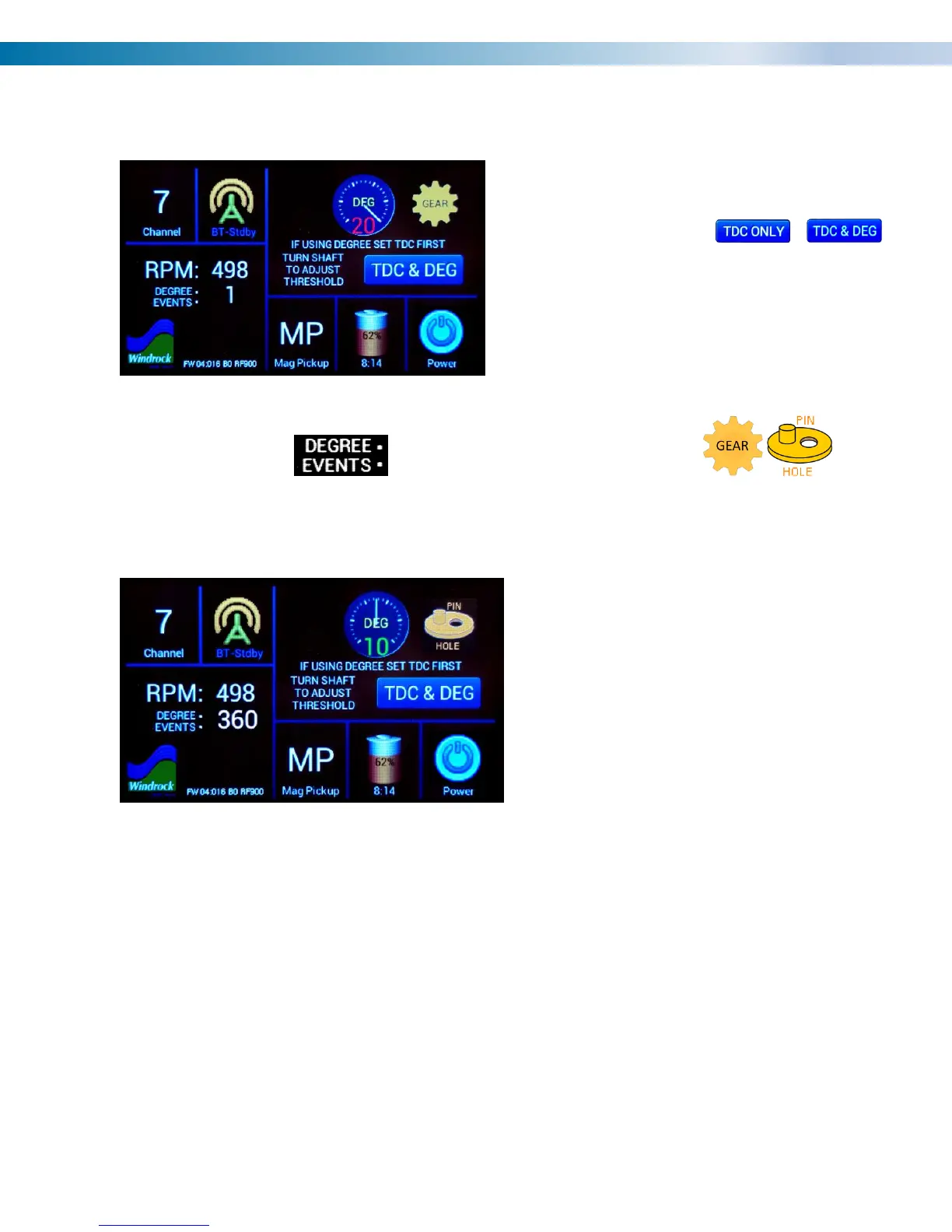
The MP mode can also be configured to add a
second magnetic pickup for detecting degree
signals by pressing the /
button which toggles between TDC only mode
and TDC & DEG mode.
Note: Before changing to this mode, the user
must have already set TDC having a stable
RPM.
The TDC & DEG mode adds a indicator and a degree pickup mode icon that
configures the sensor for detection of either gear teeth or an arrangement of holes or pins on a flywheel.
Consecutive presses of the icon toggles between the two modes.
The threshold gage for the DEG pickup is
identical to the TDC gauge and should be
should be adjusted in the same way TDC
ONLY mode is except that the degree events
value is referenced during adjustment rather
than RPM.


 To Next Page