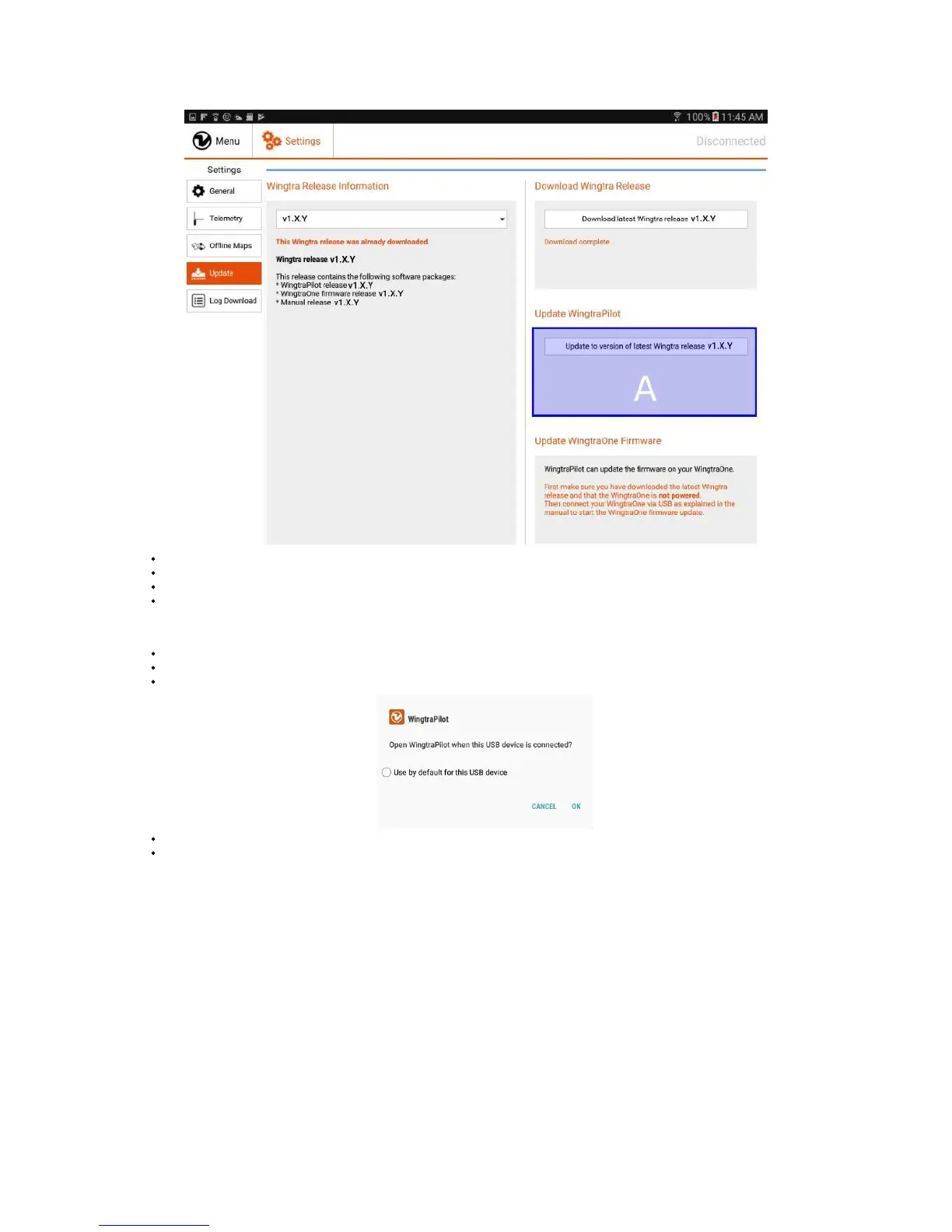
In (A), click on "Update WingtraPilot to Latest Release v1.X.Y"
Follow the installer. You may grant the permission to install an application from an unknown source.
After the installation is complete, WingtraPilot will close and you will be asked if you want to open it again. Click on "Open".
In case the installation of WingtraPilot fails, you can also download it by clicking on DOWNLOAD WingtraPilot 1.7.0 and install manually.
Step 3: Setup WingtraPilot
You will be greeted by WingtraPilot with this user interface when you open it for the first time. Choose your preferred language and units for WingtraPilot.
When you reach the pairing session, power on your WingtraOne by using the batteries and connect the telemetry module to your tablet.
If there is a dialog asking for permission, check “Use by default for this USB device” and "OK".
The pairing process will start automatically after the connection between WingtraPilot and WingtraOne is established.
The progess bar and loading icon are indicating your pairing progress, they will turn into a green tick sign once the pairing process is finished.



 To Next Page