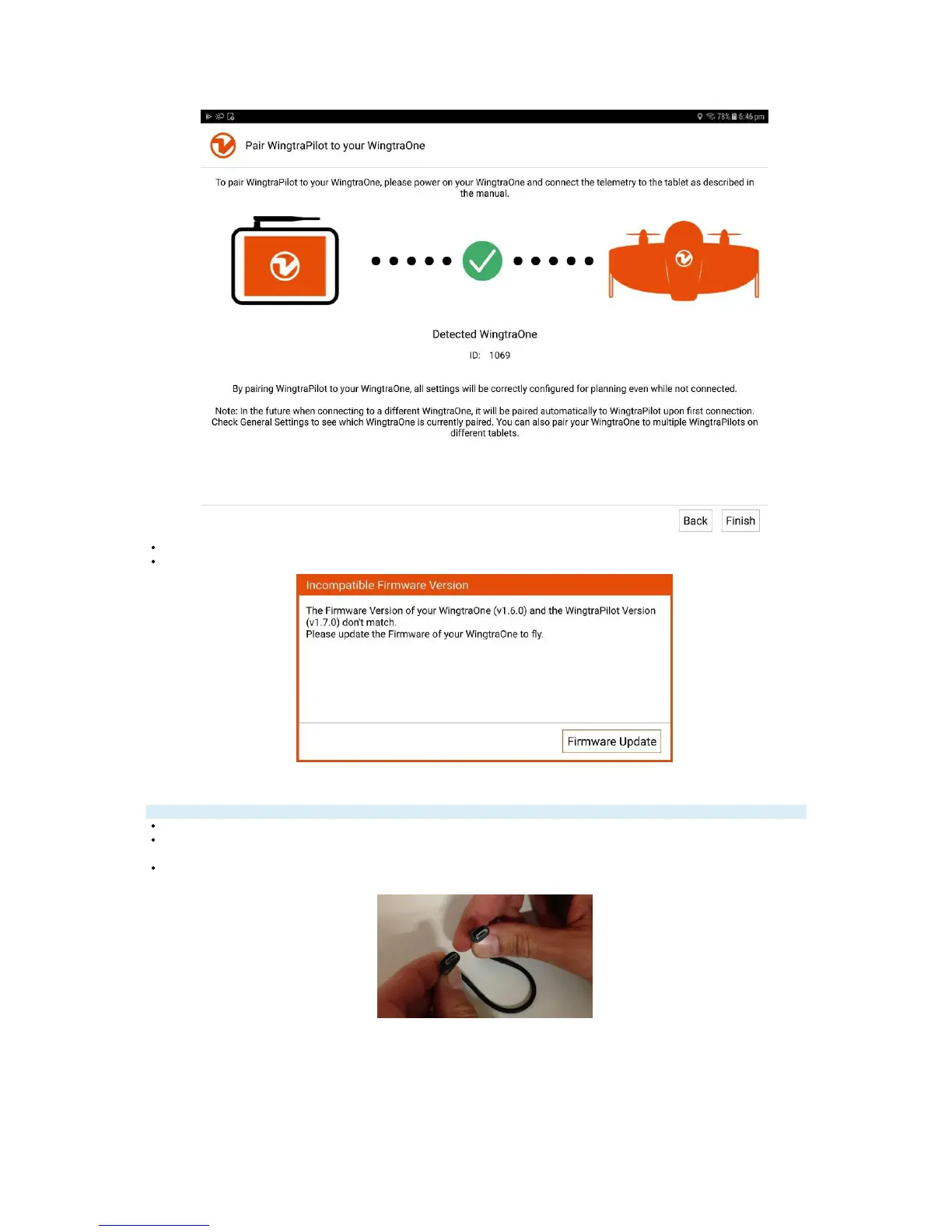
You can then see your paired WingtraOne ID below the green tick sign.
After pairing, you will probably see an "Incompatible Firmware Version" warning popping up, click "Firmware Update" and continue to the next step.
Step 4: Update WingtraOne Firmware
Ignore orange box warnings on top of tablet screen during update process (remove them by clicking on the X).
Ensure that your WingtraOne is powered off.
In WingtraPilot, make sure you are in the "Settings --> Update" menu or open the welcome menu and click on "Update the WingtraOne firmware or WingtraPilot"
again.
Take the microusb-to-microusb cable provided in the WingtraOne package. Your package may have contained version A (smaller cable, left picture) or B (longer
cable, right picture)



 To Next Page