Chapter 3: APP Management
EN-33
3.4 Login Page
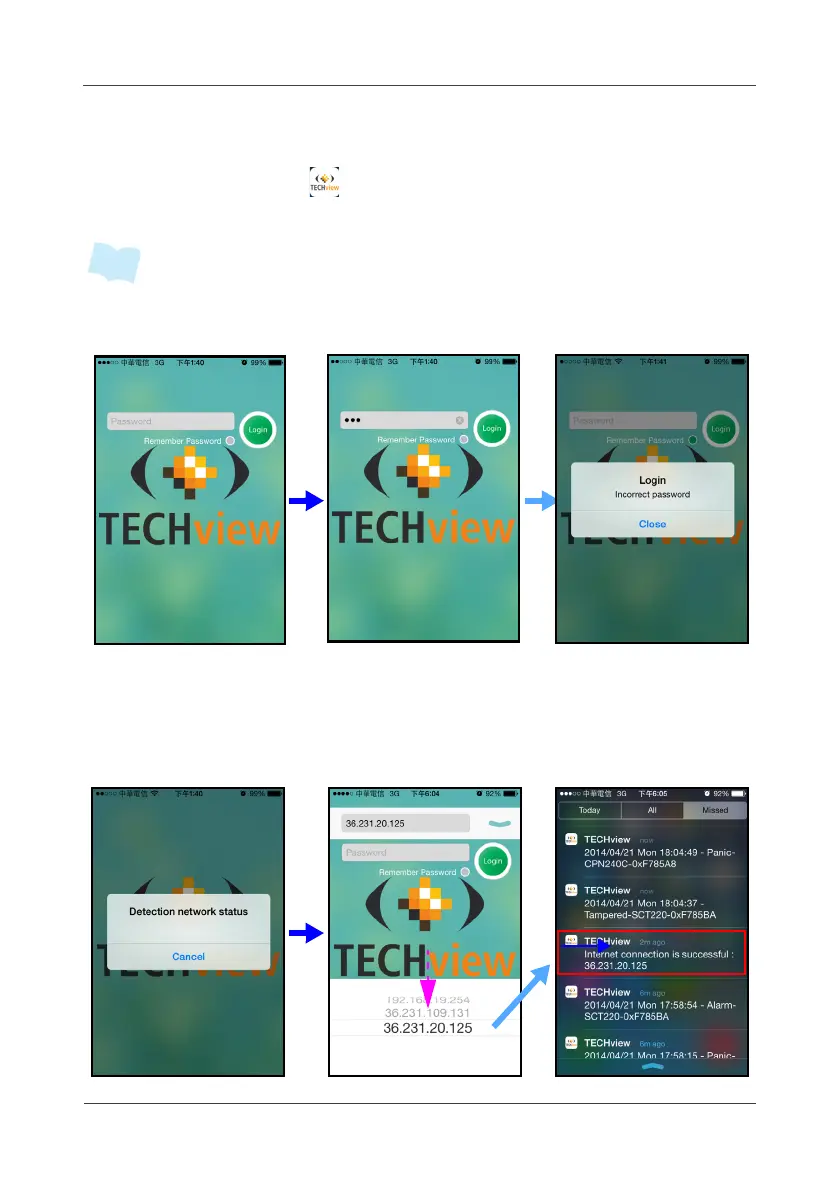
1. Touch the APP icon ( ) to enter the login page.
2. Enter the Gateway “Domain Name or IP” and “Password” to login.
• You may turn on “Remember Password” function to retain the password for the
next time login. The default is “123”, same as WebUI.
3.5 IP Detection and Selection
If Internet link is connected, the APP will automatically detect WAN IP. To
select the detected WAN IP, swipe down the screen as shown in the
illustration below.



 To Next Page