Chapter 4: Web Management
EN-90
4.7 Surveillance
This option allows you to configure both the 3rd-party wireless and wired IP
camera, change its settings, and view live video via web browser.
1. Be sure to complete the IP camera configuration. See 2.5 Surveillance
Configuration on page 29.
2. Select Surveillance.
4.7.1 Setup
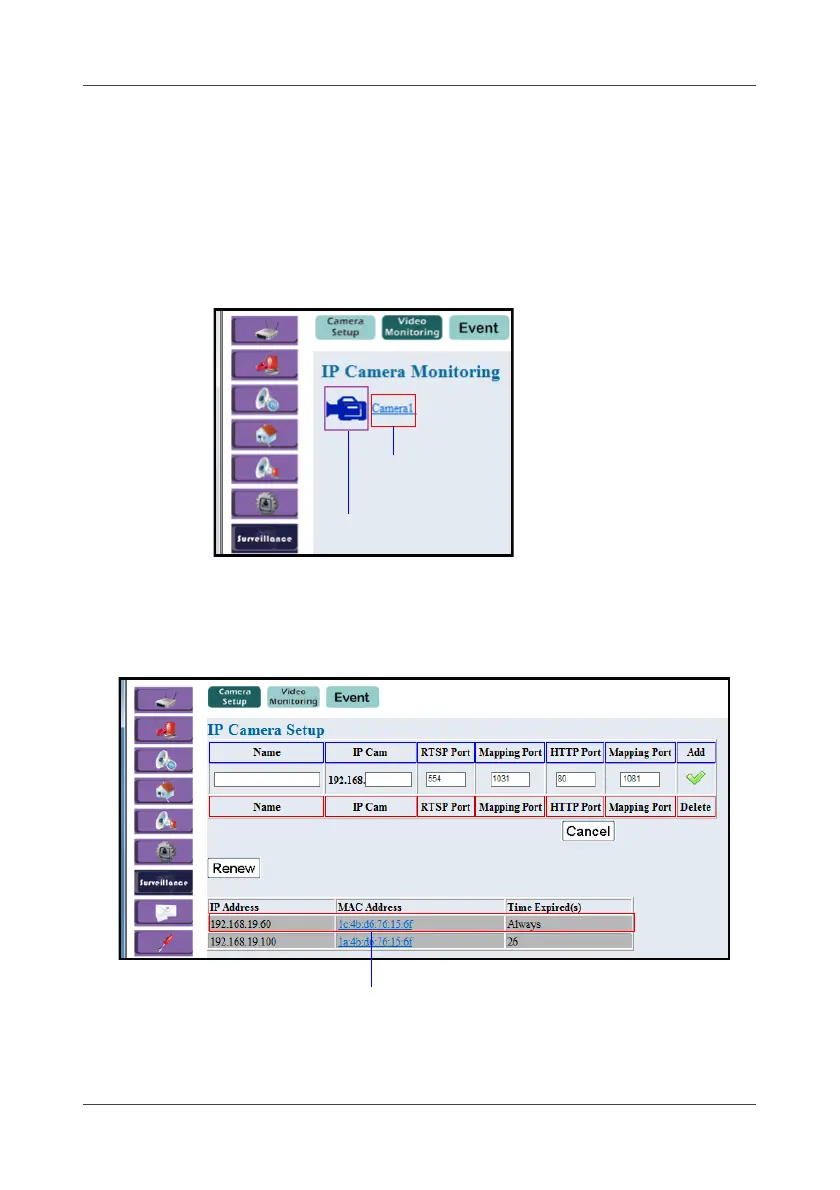
This option allows you to configure the third-party IP camera settings.
1. Select Camera Setup.
Click to view in RTSP mode
(IP camera name)
Click to view in HTTP mode



 To Next Page