Chapter 4: Web Management
EN-89
• The Lock Controller is used to integrate with electronic lock and transform the
signal into wireless control signal. See 6.1 3rd-Party Sensor Integration on
page 107.
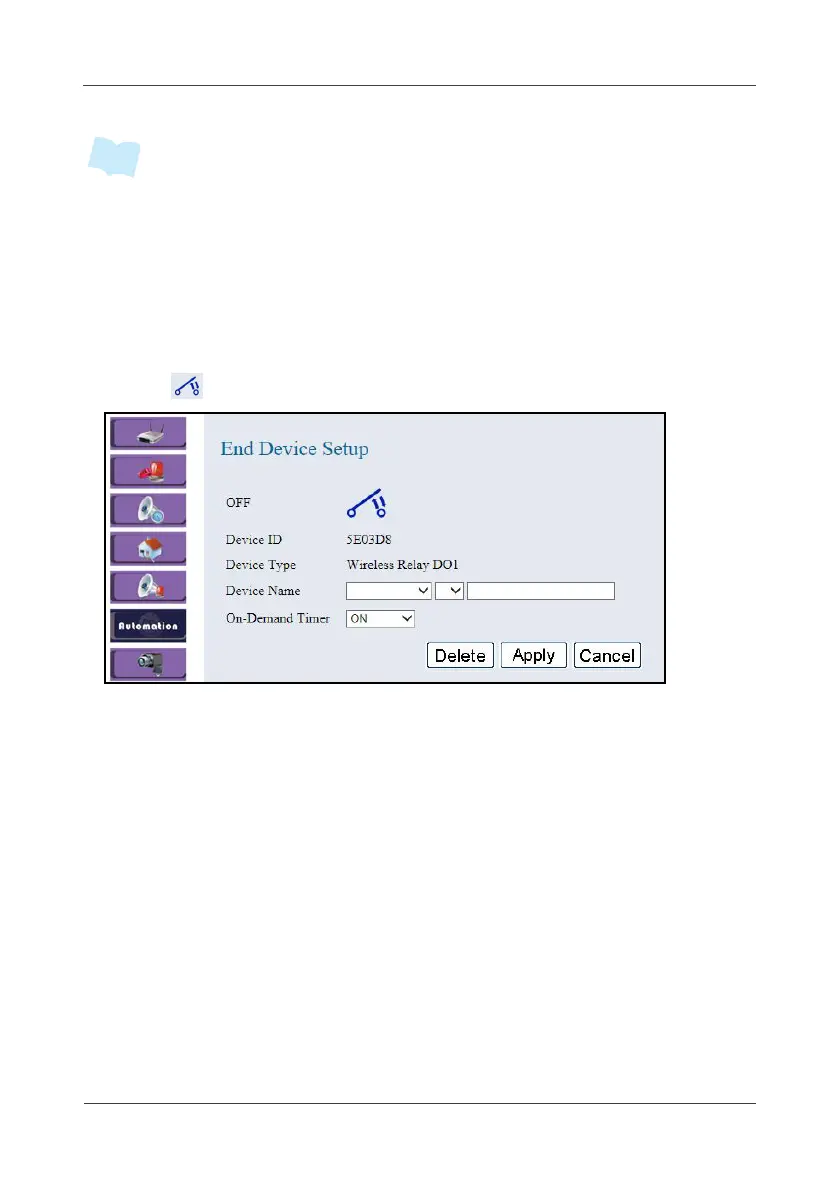
4.6.3 Wireless Relay DO
This option allows you to configure the Wireless Relay DO settings.
1. Click .
2. Select the location, device number, and specify the sensor name.
Click on the pull-down menu to see more options.
3. Set the schedule to automatically switch the device on/off in the
On-Demand Timer field. (Same as scheduling the Power Meter)
4. Click Apply to save the settings.



 To Next Page