Chapter 4: Web Management
EN-85
4.5 Siren
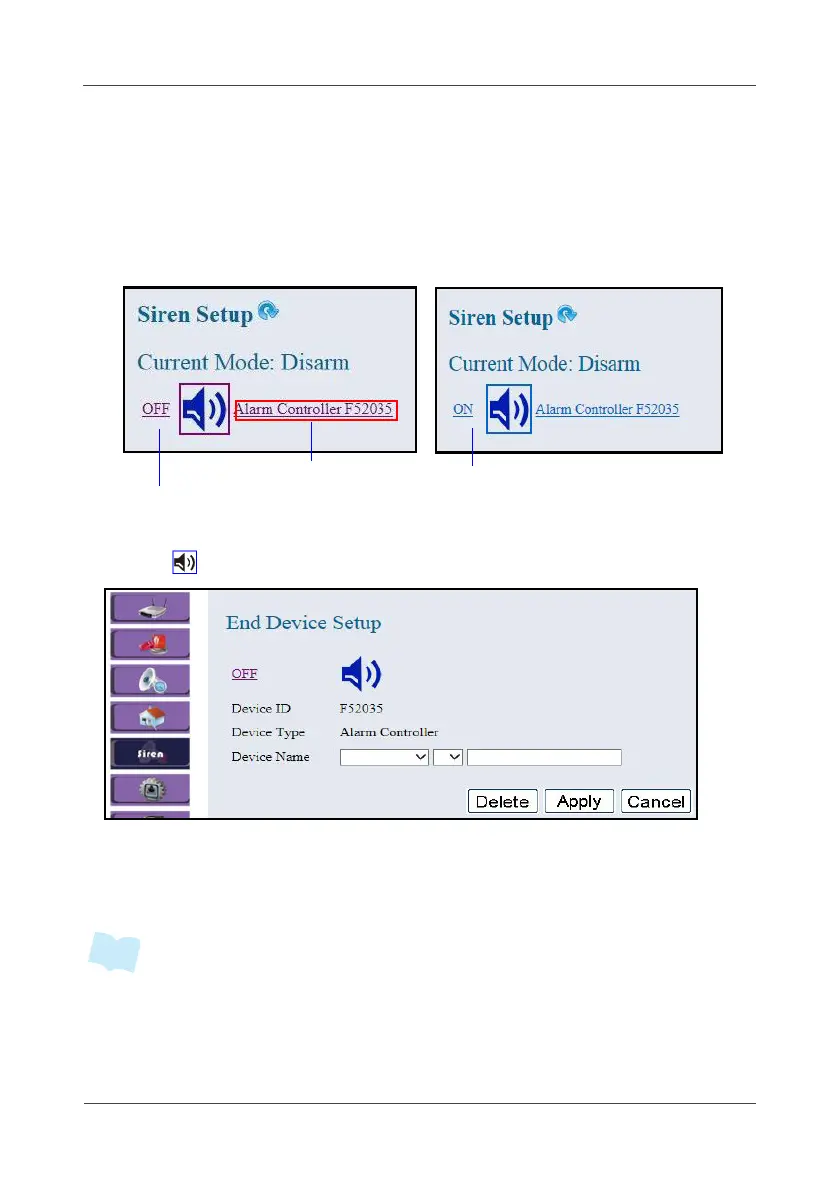
This option allows you to configure the Wireless Alarm Controller settings.
1. Be sure to complete the siren configuration (See 2.2 Device Joining on
page 12).
2. Select Siren.
3. You can click device status to turn on/off the siren manually.
4. Click .
5. Select the location, device number, and specify the sensor name.
Click on the pull-down menu to see more options.
6. Click Apply to save the settings.
• If any of the sensor battery is low (2.7V or below), the system will automatic
generate battery low event log to alert and also trigger the siren alarm for 3
seconds.
Alarm is activated
Alarm is triggered
Controller name and ID



 To Next Page