Chapter 3: APP Management
EN-32
3.2 Network Setting
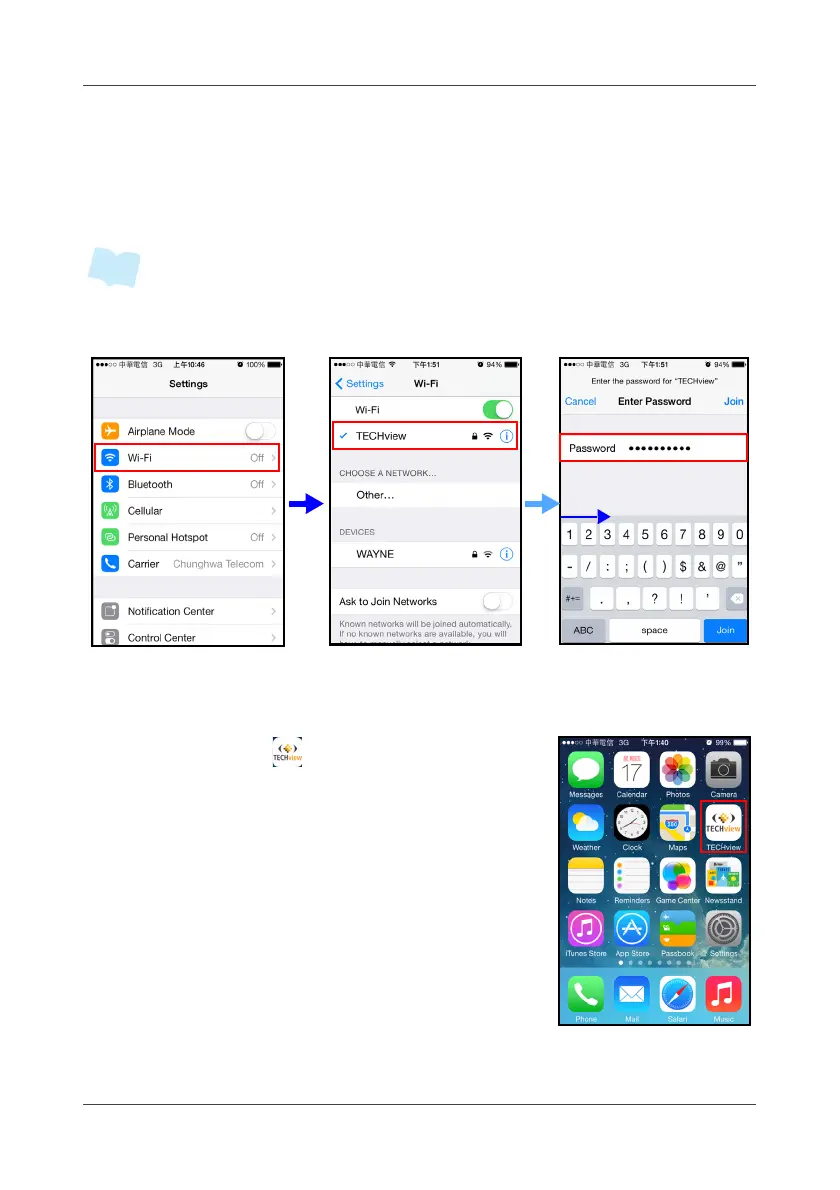
For Wi-Fi connection (local use), set your phone Wi-Fi setting to connect to
the gateway’s SSID. Once connected, you may have to enter the encryption
key once required.
• Default SSID is “TECHview” and no encryption key.
• For mobile network user (3G or above), skip this network configuration.
3.3 Launch APP
Touch the APP icon ( )
to launch the APP.



 To Next Page