Chapter 2: Getting Started
EN-8
Chapter 2: Getting Started
2.1 Gateway Configuration
This section provides a step-by-step guide to the installation and configuration
of the Wireless Gateway.
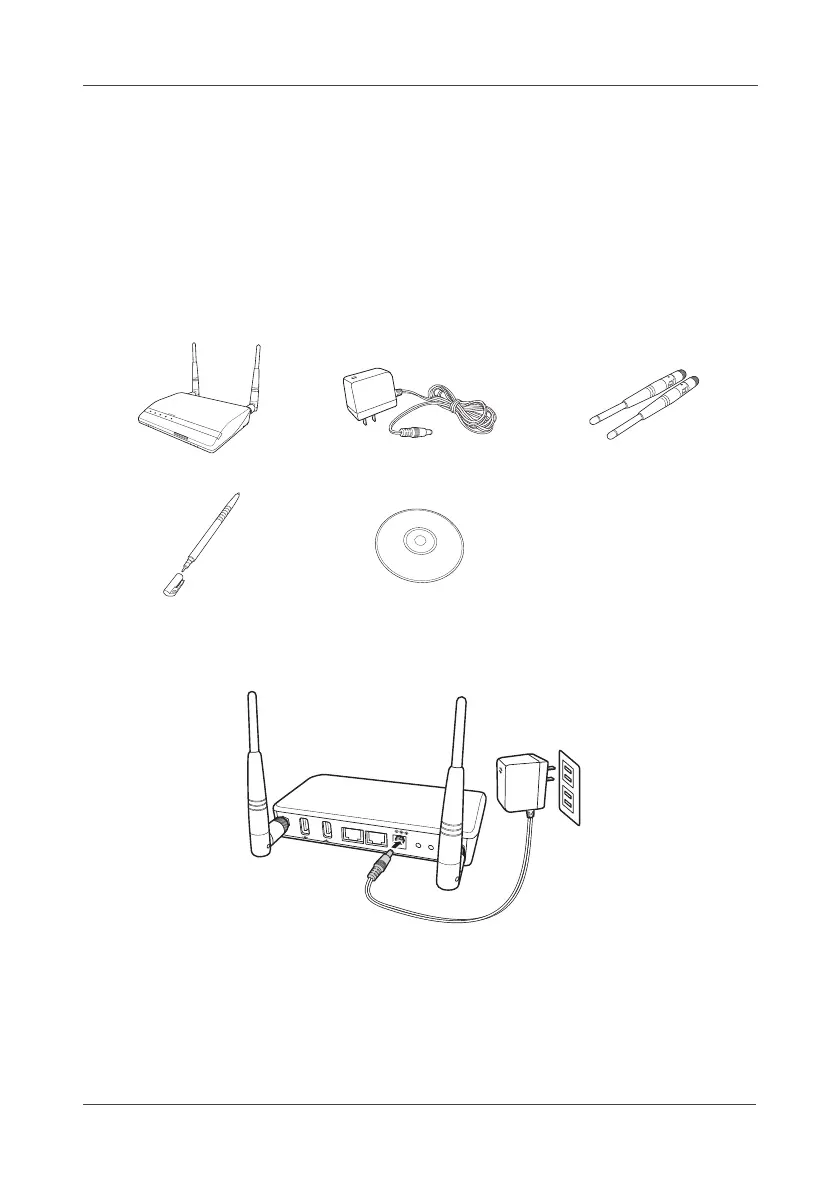
Accessories:
2.1.1 Configuring Gateway Connection
1. Fasten both antennas on the back of the Gateway.
2. Adjust the antennas position at 90º angle.
3. Plug in the power adapter to the Gateway and the other side to the wall
outlet.
Wireless Gateway Power adapter 2 Detachable antennas
Stylus CD
S
E
N
S
O
R
S
P
O
W
E
R
U
S
B
/
S
D
C
A
R
D
W
A
N
P
A
N
A
L
A
R
M
S
D
C
A
R
D
USB
USB
L
A
N
W
A
N
DC IN 12V
WPS
SET



 To Next Page