Chapter 2: Getting Started
EN-16
2.4 On-Site Installation
2.4.1 Panel Console (LA5572)
a. Mount the bracket on the wall.
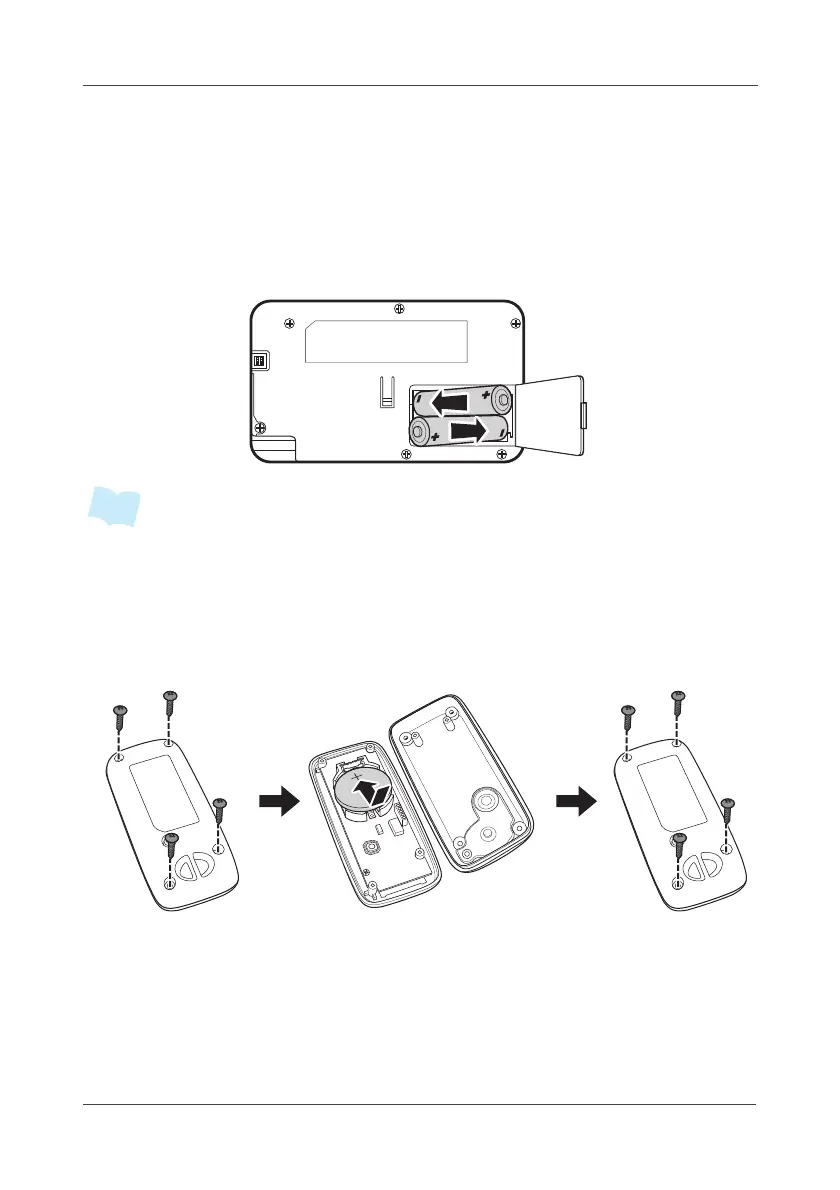
b. Open the battery cover and install the batteries into the battery
compartments. Then close the bottom cover firmly.
• The battery is designed for power backup and it will last for 2 hours.
• The tamper-proof function will only be activated after the system is armed.
2.4.2 Button Console(LA5573)
a. Follow the steps to change the battery.
(Attention: CR2032 battery positive side up)
Remove the 4 screws Install the battery Replace the back cover
and attach the 4 screws and the back cover



 To Next Page