Chapter 2: Getting Started
EN-29
2.5 Surveillance Configuration
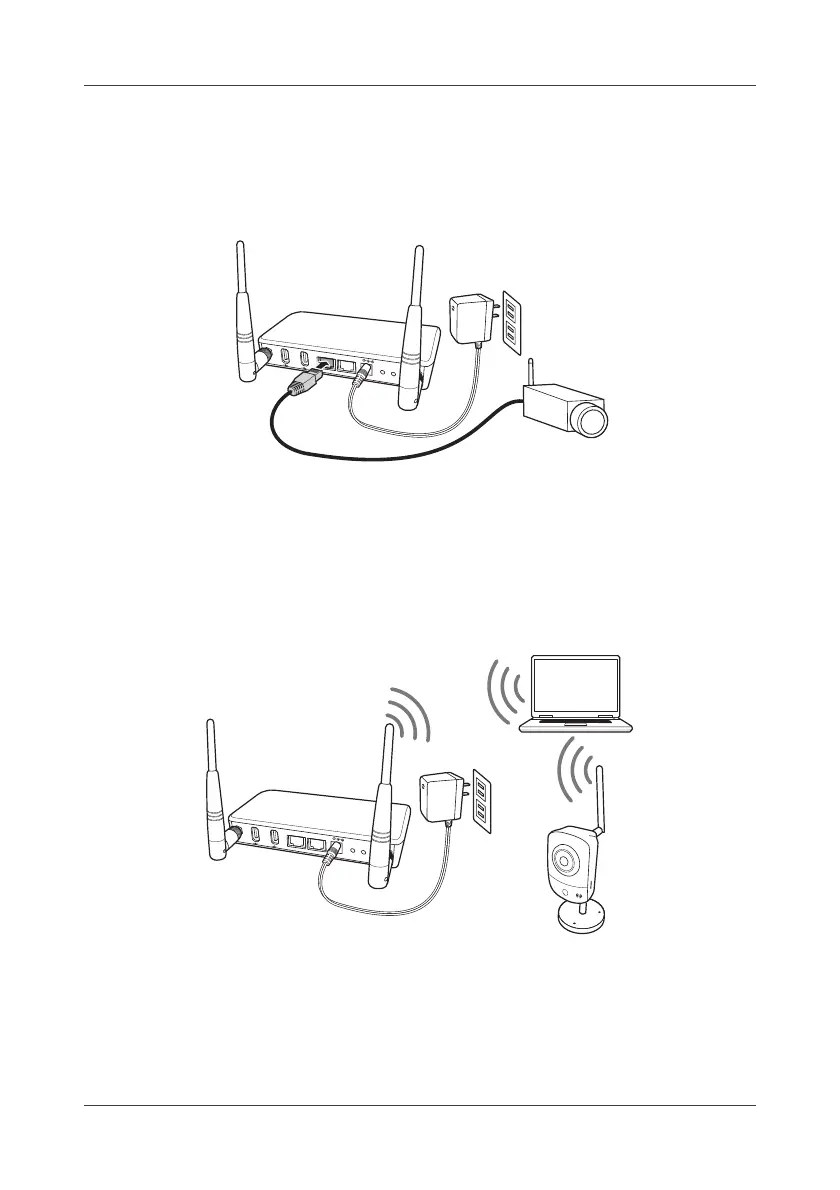
This Gateway supports the types of camera setup.
2.5.1 Wired Configuration
1. Connect the Gateway and the IP camera by using an Ethernet cable.
IP camera will obtain an IP address from the Gateway via DHCP protocol.
2. To obtain the IP camera MAC address and configure related IP camera
settings, refer to "4.7 Surveillance" on page 90..
3. Reboot both Gateway and IP camera to take effect.
2.5.2 Wireless Configuration
1. Connect the Gateway and the IP camera by using an Ethernet cable.
IP camera will obtain an IP address from the Gateway via DHCP protocol.
2. To obtain the IP camera MAC address and configure related IP camera
settings, refer to "4.7 Surveillance" on page 90..
USB
USB
LA
N
W
A
N
D
C
IN
1
2
V
W
P
S
S
E
T
UTP
USB
USB
L
A
N
W
A
N
D
C
IN
1
2
V
W
P
S
S
E
T
WiFi



 To Next Page