Chapter 2: Getting Started
EN-12
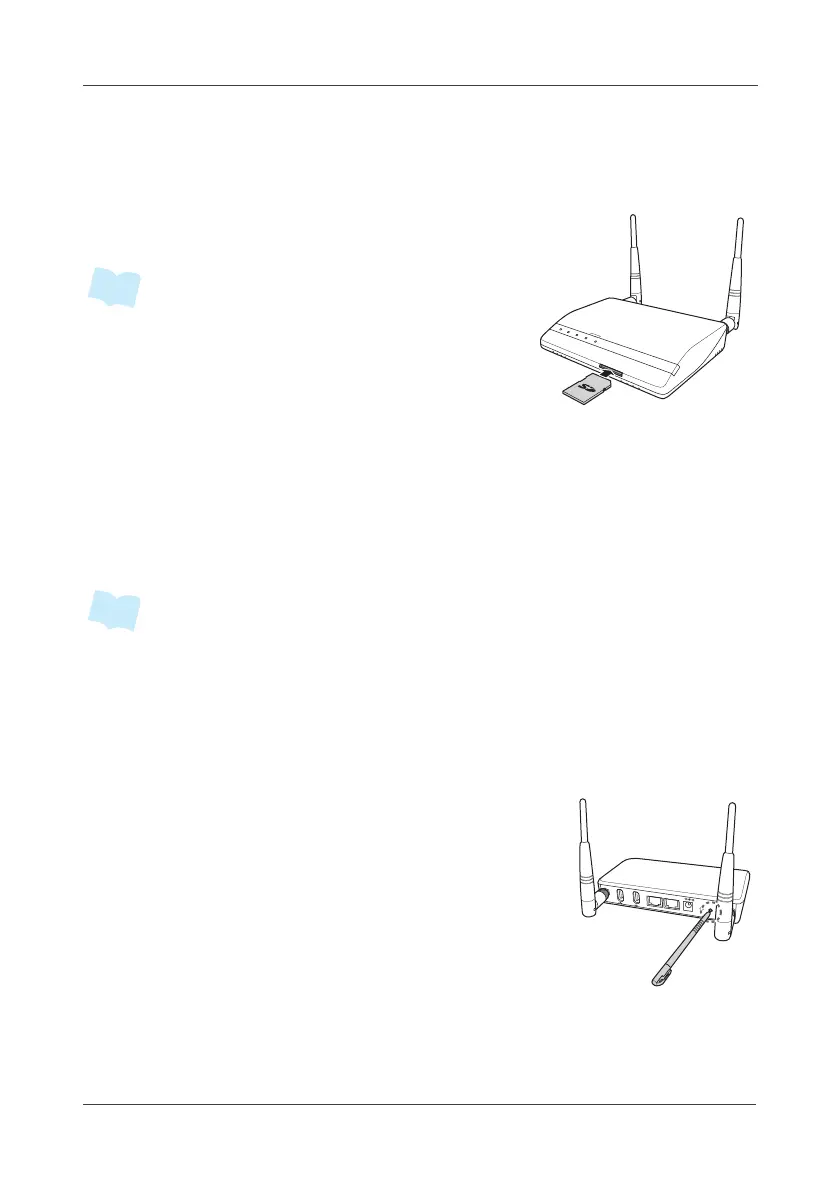
2.1.2 Installing the Memory Card
A memory card can be installed in the Gateway to provide additional storage
space for recorded videos.
Insert the SD card into its slot, making sure it is in
the correct orientation as shown in the illustration.
• The Gateway supports SD card up to 32GB.
2.2 Device Joining
All RF devices can be directly joined using the following 2 methods: Gateway
or Router (Power Switching). With Router, it acts as a wireless hub for
interconnecting sensors and gateway, and it also can expand communication
coverage by cascading up to 3 routers.
• RF devices are referring to the Sensors (including Console, Switch, and
Transducer).
2.2.1 Device Joining via Gateway
1. Plug in the power adapter to the Gateway and the other side to the wall
outlet.
2. Short press the SET button at the back of the
Gateway.
Wait until the Alarm LED indicator blinks red
before releasing the SET button.
SENSORS
POWER
USB/
SD CARD
WAN
PAN
ALARM
SD CARD
USB
USB
L
A
N
W
A
N
DC IN 12V
WPS
SET



 To Next Page