Chapter 2: Getting Started
EN-13
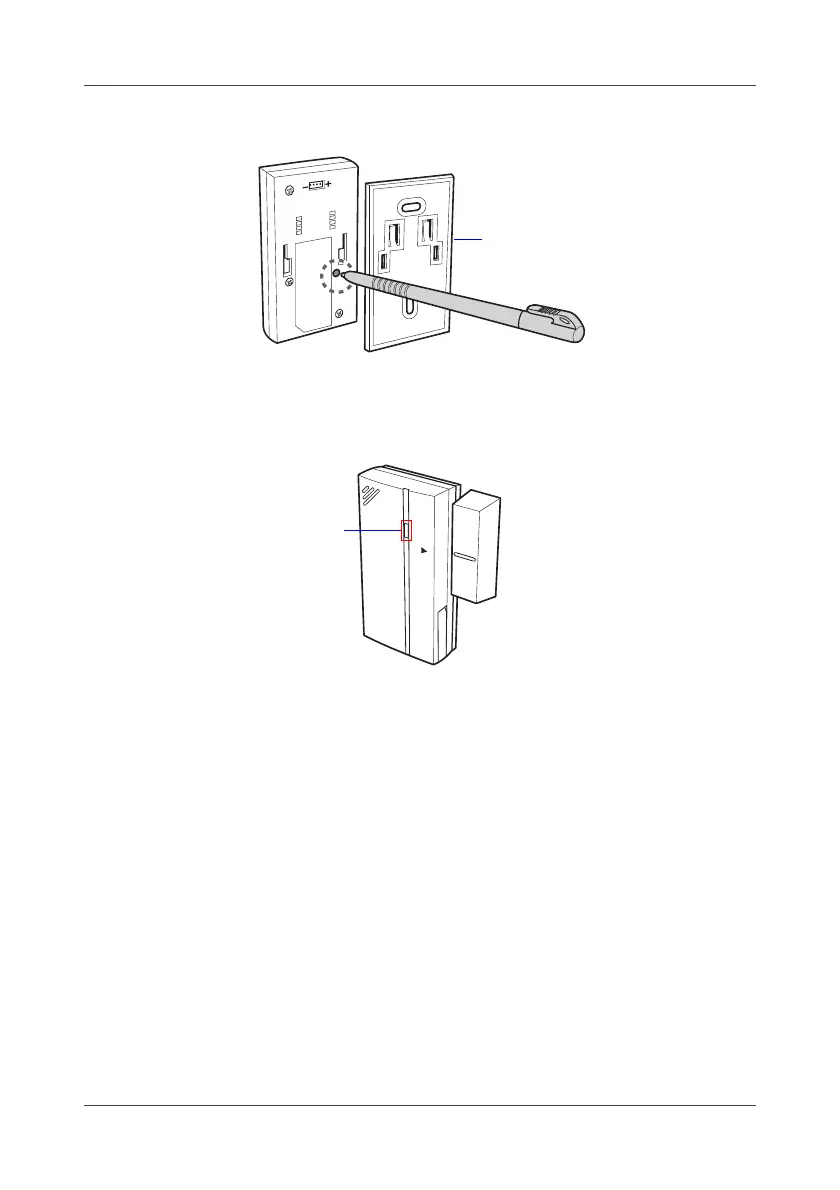
3. Remove the sensor bracket if necessary.
4. Short press the SET button at the back of the sensor.
Wait until the LED indicator blinks green before releasing the SET
button.
•For CO
2
sensor, press both the and buttons until the screen
blinks.
5. To verify if the device binding process is successful, do one of the
following:
• Wait for few seconds until both indicators (on the Gateway and
device) turned off.
• Click Refresh icon on the web console to verify if the device binding
process is successful.
6. Repeat above steps to bind other devices.
Wireless Contact Sensor
bracket
Wireless Contact Sensor
LED



 To Next Page