Chapter 4: Web Management
EN-88
Scheduling Power On/Off Time
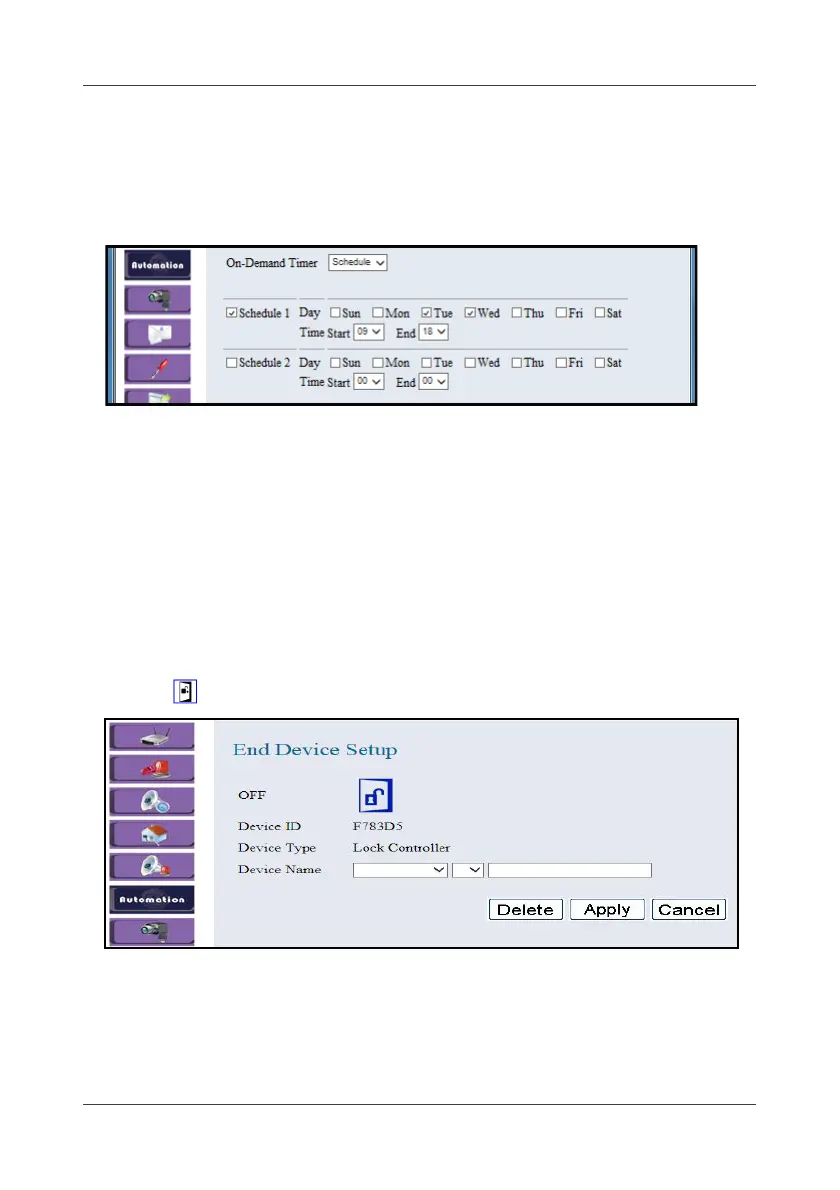
To set the schedule to let the device to automatically turn the switch on/off,
do the following:
1. In the On-Demand Timer field, select Schedule.
2. Check Schedule 1/ Schedule 2 box to enable this function.
3. Choose the day(s) that you want to set. Check the respective box.
4. Set the Start and End time.
5. Click Apply to save the settings.If the Schedule 1 and Schedule 2 are
overlap, the system cannot save the settings.
4.6.2 Lock Switch
This option allows you to configure the Wireless Lock Switch settings.
1. Click .
2. Select the location, device number, and specify the sensor name.
Click on the pull-down menu to see more options.
3. Click Apply to save the settings.



 To Next Page