Chapter 4: Web Management
EN-91
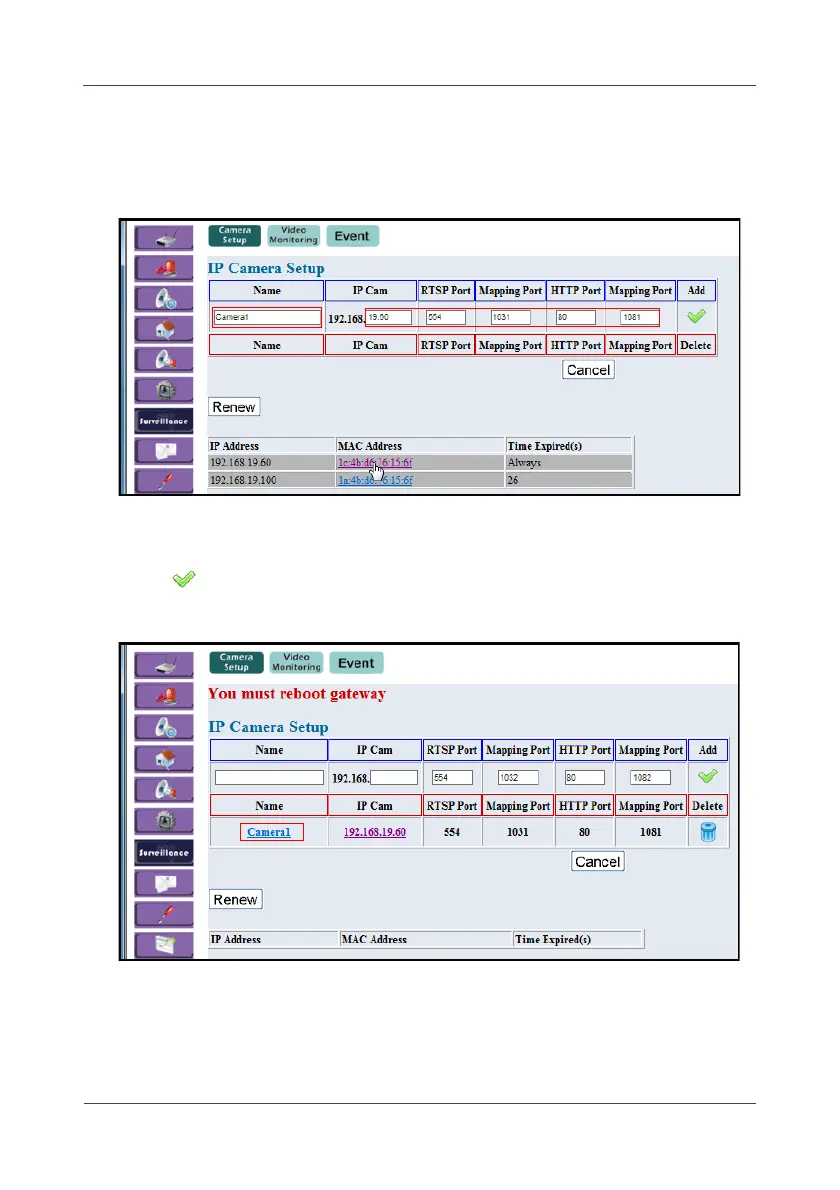
2. After the IP camera links to the Gateway via DHCP, the IP camera MAC
address will appear on the list. Click Renew to renew the list.
3. Click the MAC address and it will automatically fill the setup parameters.
Then confirm the Name, IP address, and Port mapping information. You
can also change or add the IP camera parameters manually.
4. Click to add the IP camera.
5. Reboot both Gateway and IP camera to take effect.



 To Next Page