Chapter 3: APP Management
EN-35
3.7 Push Notification Setting (Android)
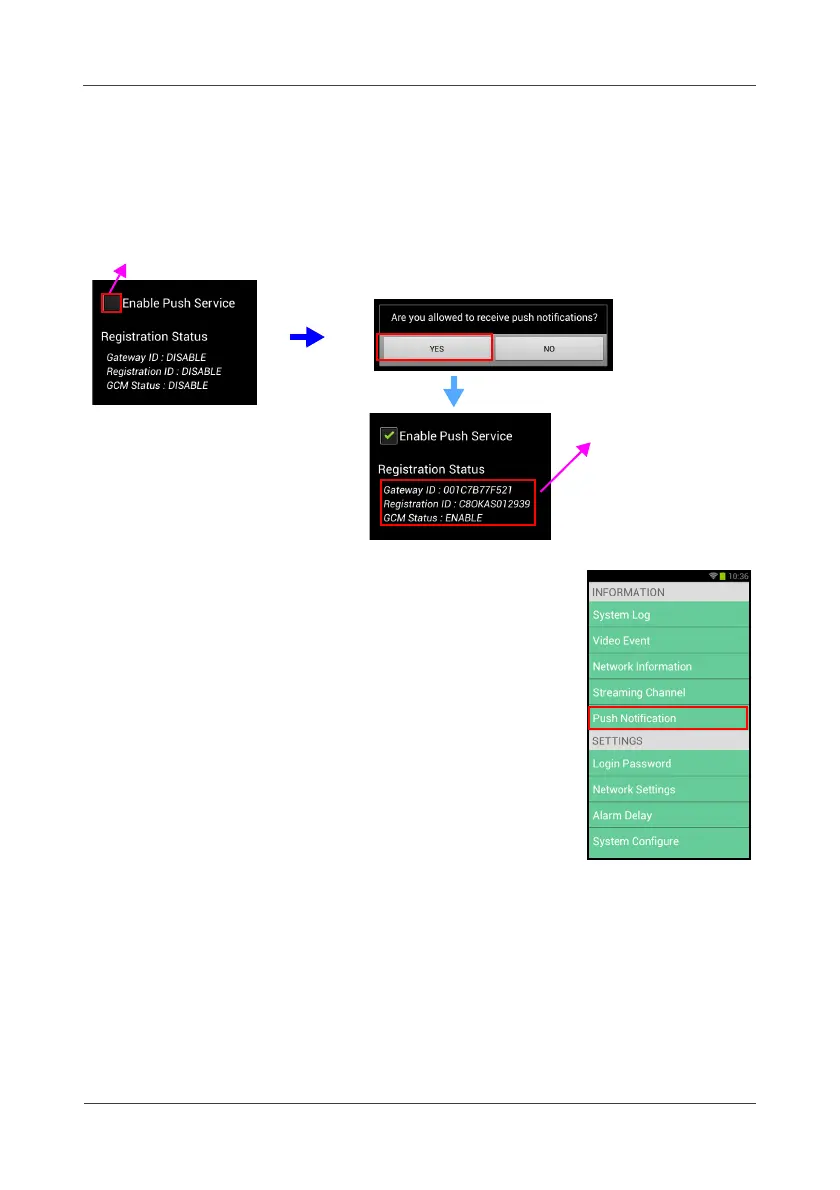
When first time login the APP on an Android device, a pop-up message
appears on the screen to confirm if you’re allowed to turn on the push
notification service. Click
YES
to continue.
You can also configure the
Push Notification
at “MISC
SETTINGS”.
Check to enable
Wait for a while to
let the system
receives the
information from the
cloud server



 To Next Page