Chapter 3: APP Management
EN-38
3.12 Sensor State Error
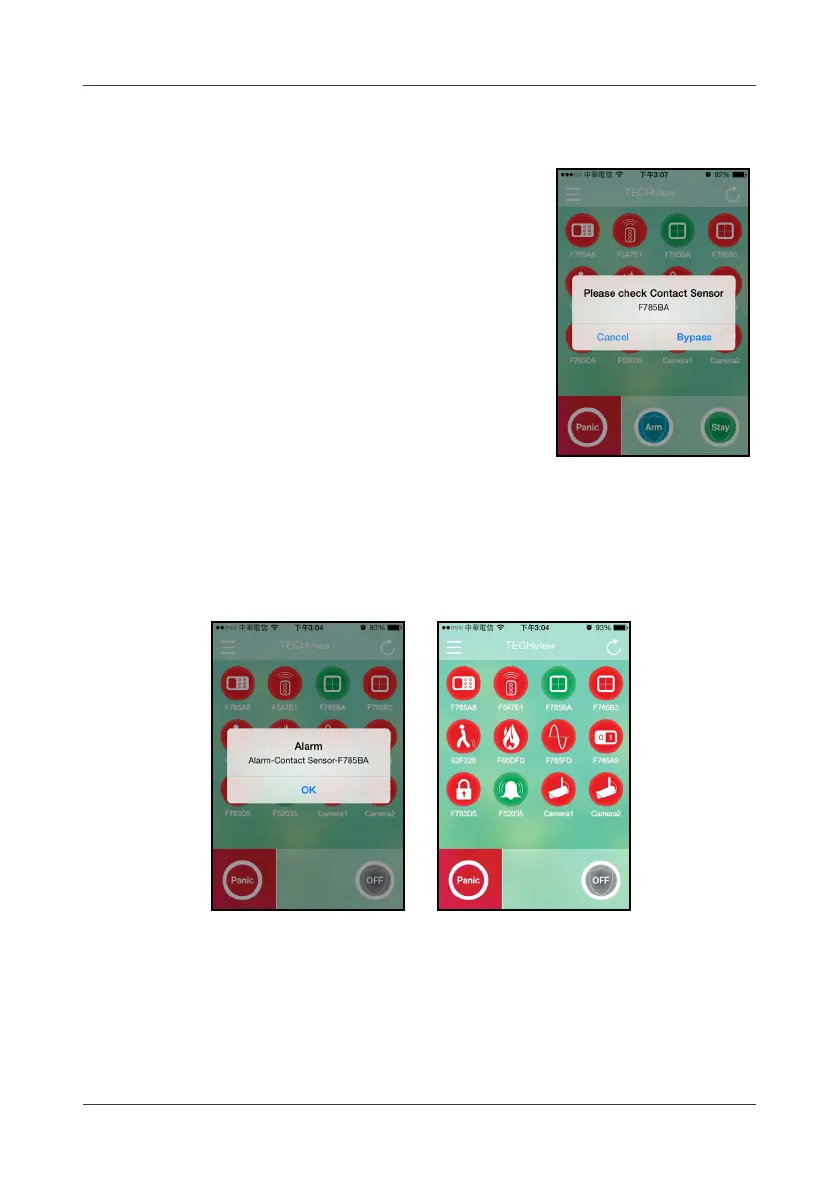
While arming, the system will check all contact
sensors’ state first and display an error message if
any of the sensor is detected in “open” state.
3.13 Alarm Trigger
Once any alarm is triggered, a pop-up message will appear on the screen, the
system will send out a push message to your smart handheld device, and all
related device icons will change to
Green
color to alert.
If the alarm has been triggered (i.e. 30 minutes ago), the related sensor icons
remain in
Green
until the state is changed back (click “OFF” on APP).



 To Next Page