Chapter 3: APP Management
EN-48
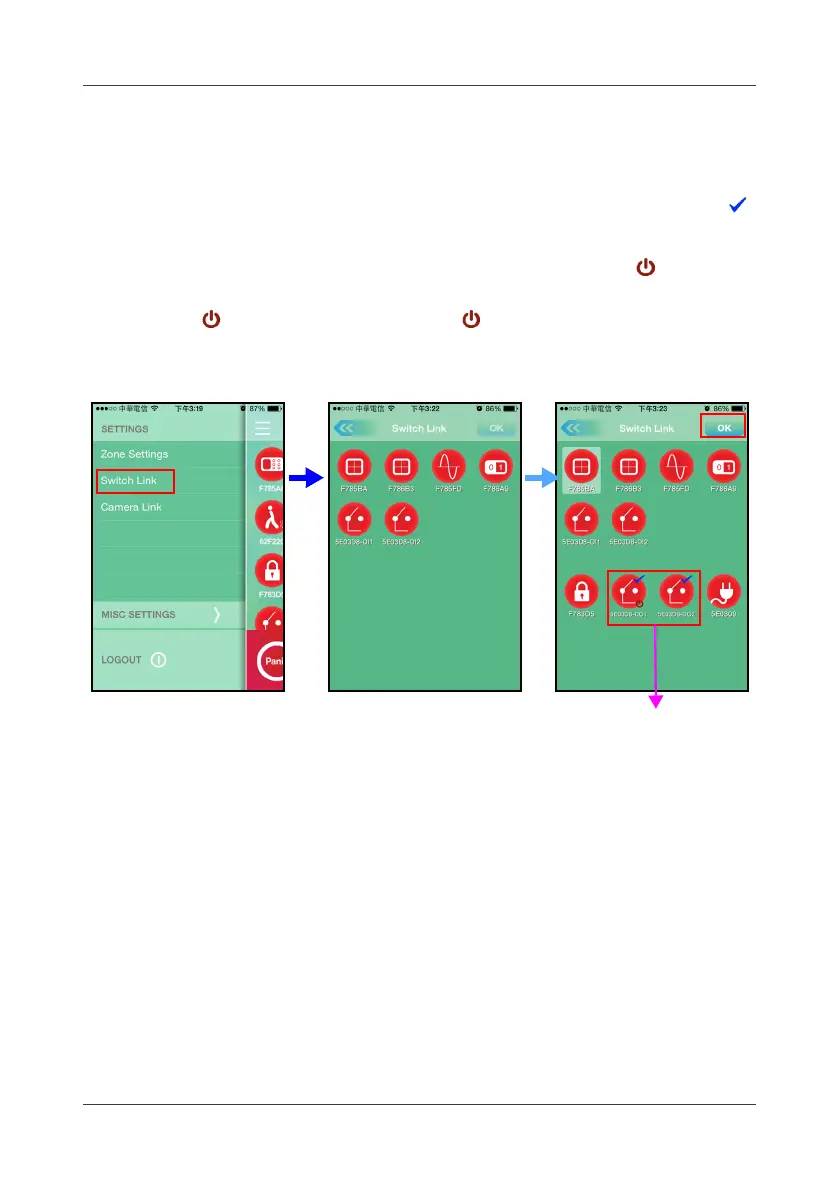
3.28 Switch Link
Touch
Switch Link
to configure the link setup.
Select the sensor first, then select the switch to link, up to 5 switches. The
icon will appear on the screen.
• By default the switch is set to ON. A red power icon ( ) at the
right-bottom indicates the power is on. To turn off the switch, click
the icon. The red power icon ( ) will disappear.
• To cancel the selection, tap the desired switch.
Touch
OK
to confirm.



 To Next Page