Chapter 4: Web Management
EN-57
4.1.2 WAN
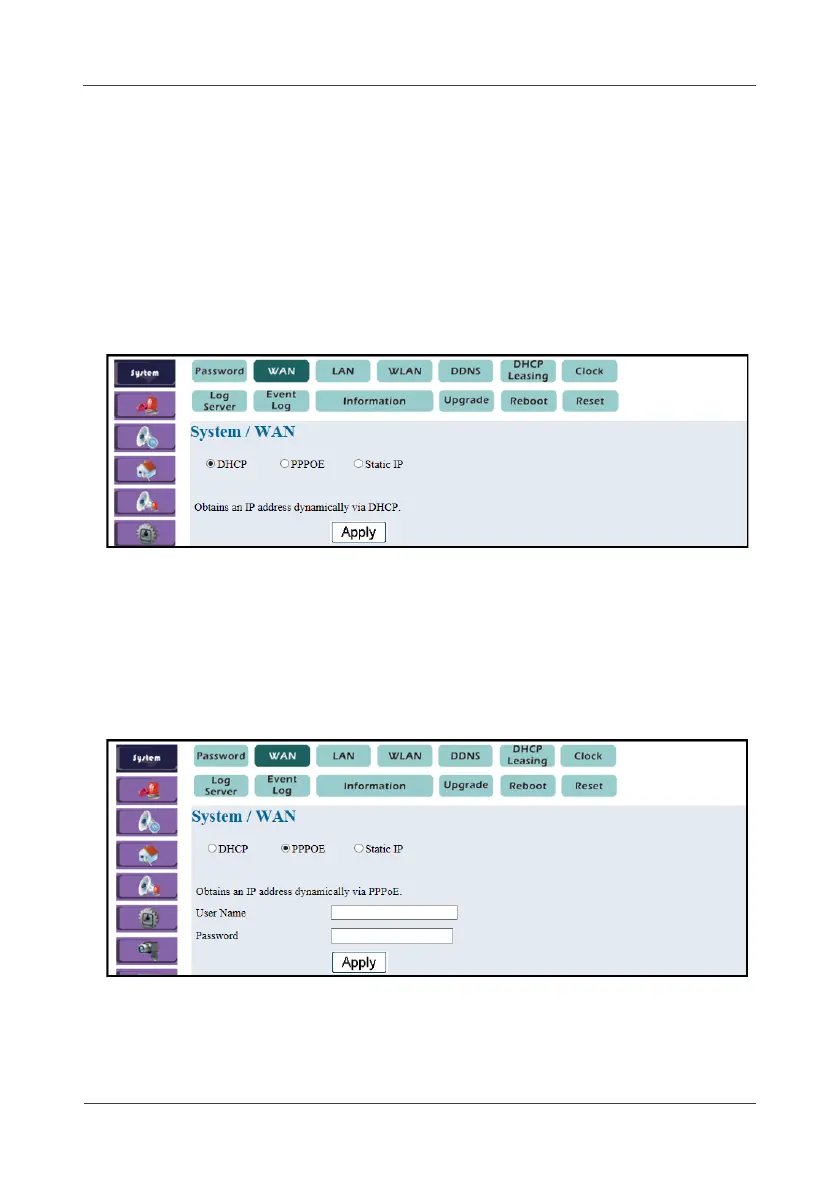
This option allows you to configure the Gateway WAN interface. There are
three available options. Depending on what internet service provider you
choose, you can use one of them to connect to Internet.
• DHCP
This option allows the Gateway to obtain an IP address dynamically via
DHCP.
1. Select System > WAN > DHCP.
2. Click Apply.
• PPPoE
This option allows the Gateway to obtain an IP address dynamically via
PPPoE.
1. Select System > WAN > PPPOE.
2. Enter the user name and password of PPPoE.
3. Click Apply.



 To Next Page