Chapter 4: Web Management
EN-81
and click Add. Select ON or OFF the device when the alarm is
triggered.
7. In the Switch link field, click Remove to delete the current binded
automation-type device.
8. Click Apply to save the settings.
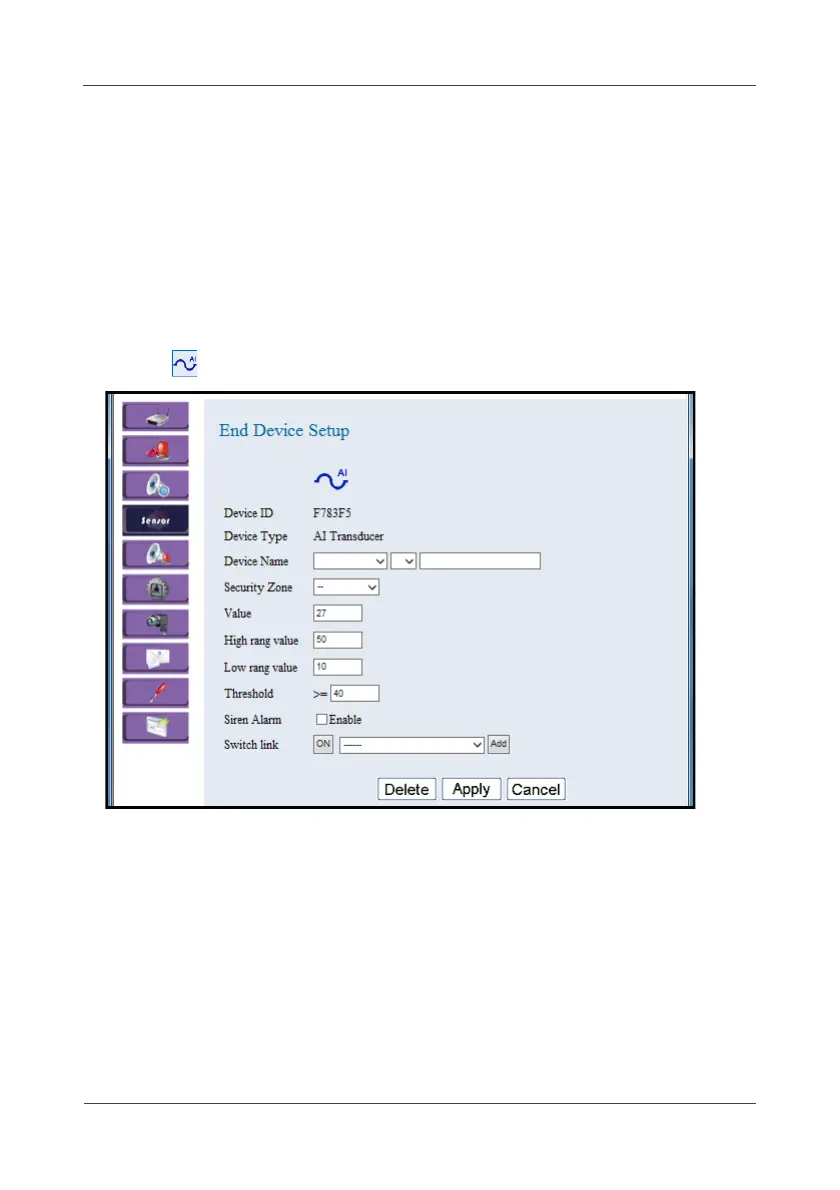
4.4.7 AI Transducer
This option allows you to configure the Wireless AI Transducer settings.
1. Click .
2. Select the location, device number, and specify the sensor name.
Click on the pull-down menu to see more options.
3. Select the security zone while enabling partial arm.
The current data reading are displayed in the Value field.
4. Set the maximum and minimum metric of the attached third party sensor
in the High/Low range value fields.
5. Set the threshold value in the Threshold field.



 To Next Page