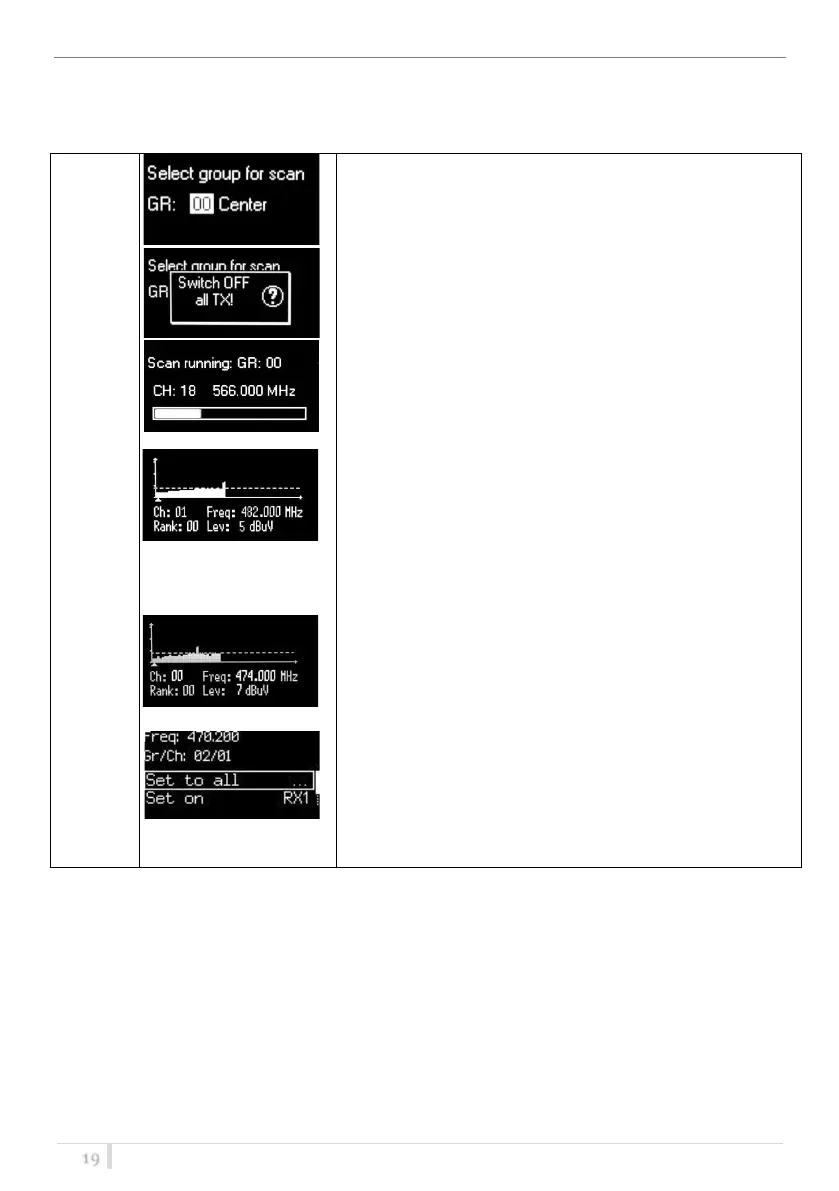
Once started a channel scan operation the receiver asks for
group to be used*. Press the SEL button to select the group
to scan.
Then it prompts to turn off all transmitters. This is in order to
provide the most accurate scan data.
Press SEL to start the scan!
After few seconds, scan results are displayed sorted by level,
making easier to pick up the best one.
The dotted line in the graph indicate the squelch threshold.
Under the graph are reported the following parameters:
- Ch: Channel
- Rank: Ranking position (Best/Lowest Noise Level to
Worst/Highest Noise Level)
- Freq: Frequency
- Lev: RF level
Pushing simultaneously UP and DOWN button, the results
can be also displayed on a chart in ascending order according
to the number of the channel.
After the selection of the desired channel, a screen appears
with the selected frequency, channel and group and it is
possible to Set or Synchronize the receiver with the
transmitter. We recommend setting the frequency and then
synchronize it with the transmitter.



 To Next Page